Create Internet Gateway
Creating an Internet Gateway for Your VPC
ℹ️ What is an Internet Gateway?
An Internet Gateway is a horizontally scaled, redundant, and highly available VPC component that allows communication between your VPC and the internet. It provides a target in your VPC route tables for internet-routable traffic and performs network address translation for instances with public IP addresses.
Step-by-Step Internet Gateway Creation
- Access the Internet Gateway interface:
- Navigate to the VPC console
- Select Internet Gateways from the left navigation panel
- Click Create internet gateway
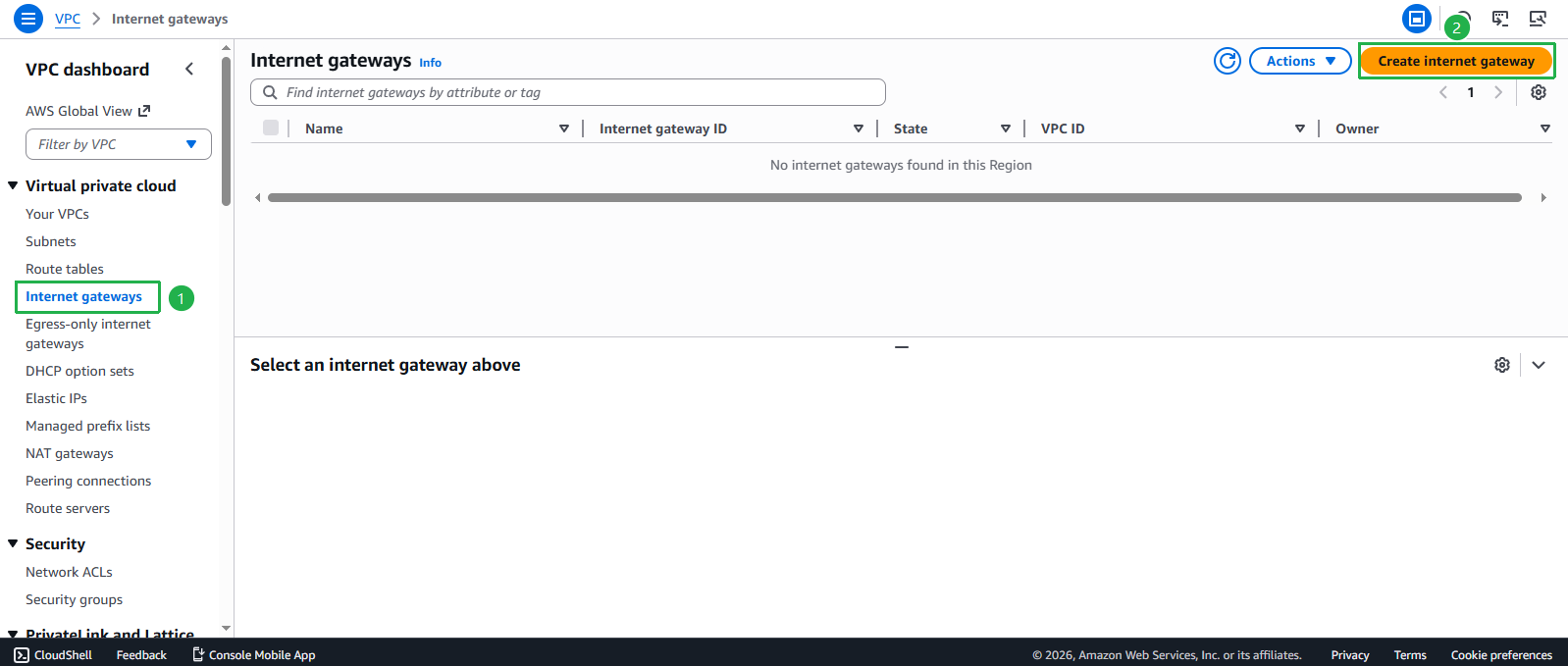
- Configure your Internet Gateway:
- Enter Name tag:
Internet Gateway - Click Create internet gateway
- Enter Name tag:
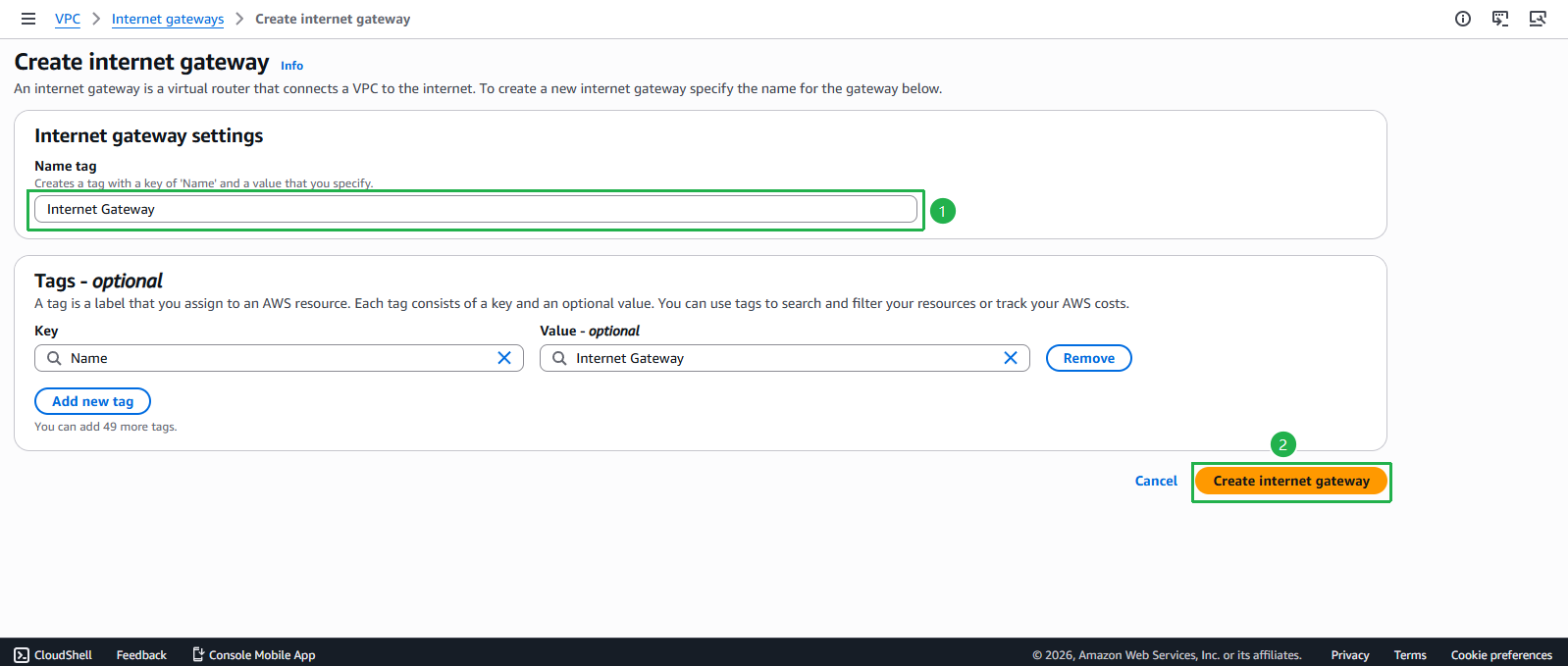
- Verify successful Internet Gateway creation:
- You should see a success message
- Your new Internet Gateway will appear in the list with state “Detached”
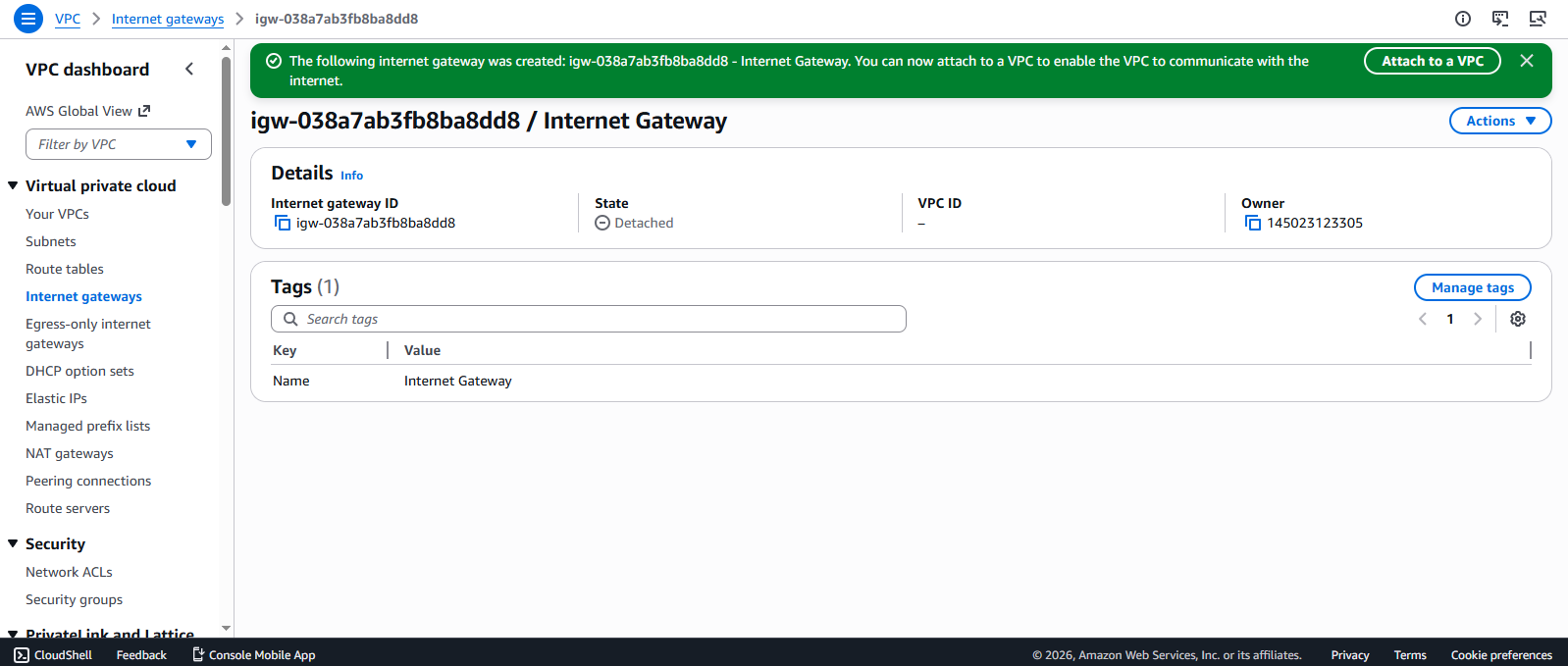
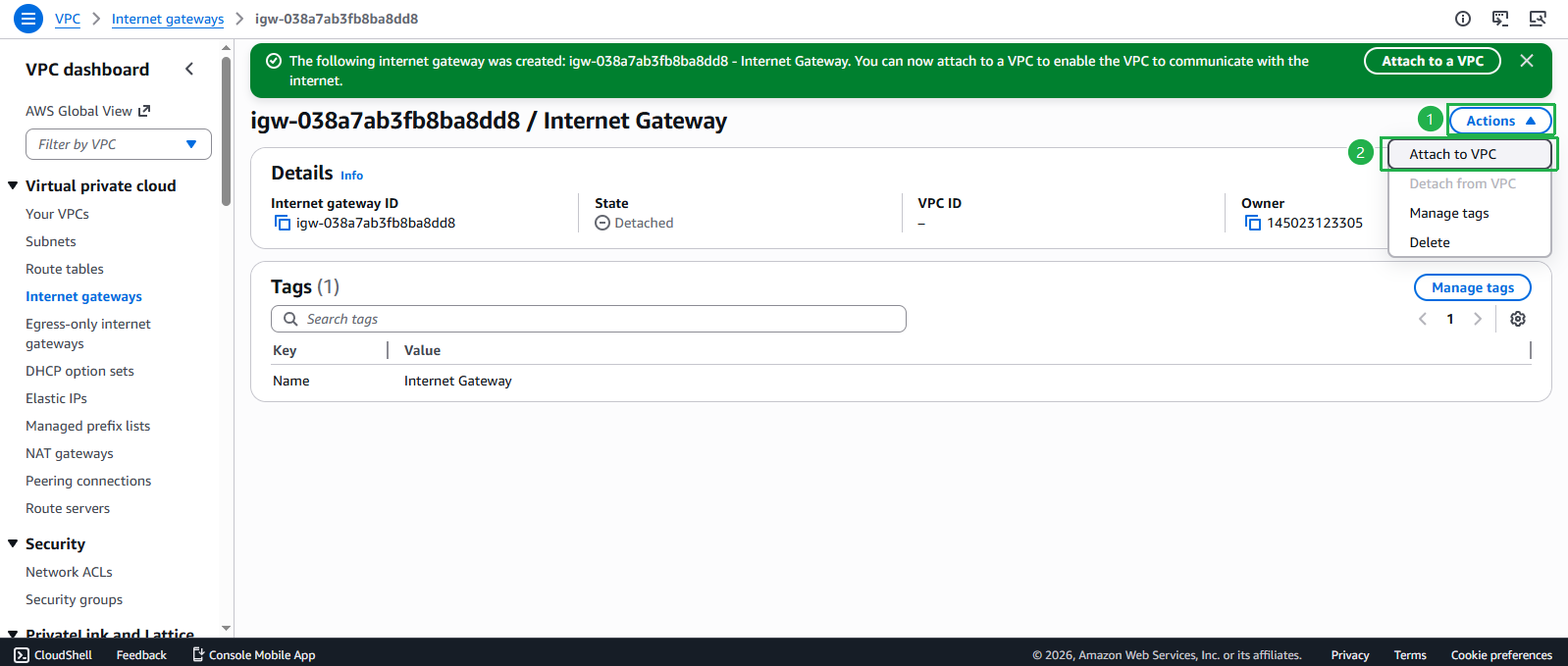
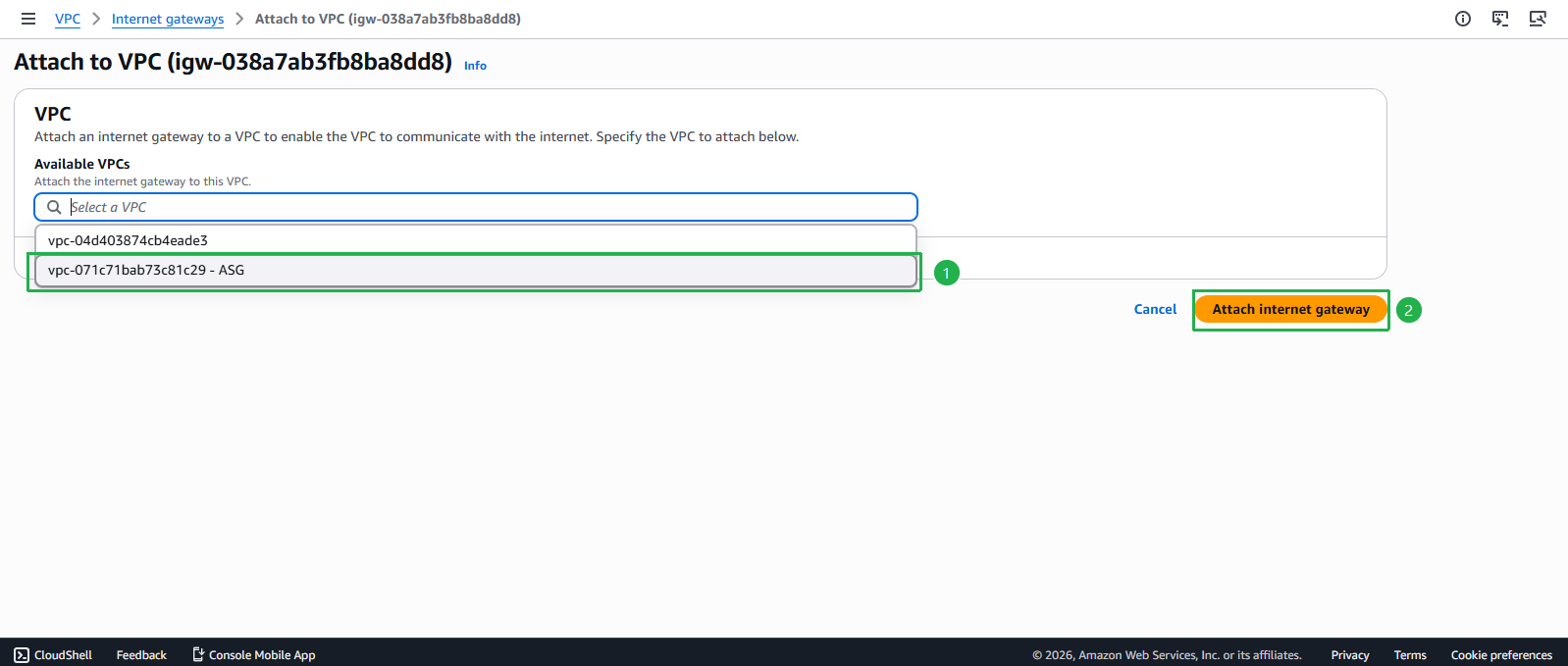
- Attach the Internet Gateway to your VPC:
- Select your newly created Internet Gateway
- Click Actions dropdown
- Select Attach to VPC
- Choose the ASG VPC from the dropdown (VPC ID will auto-populate)
- Click Attach internet gateway
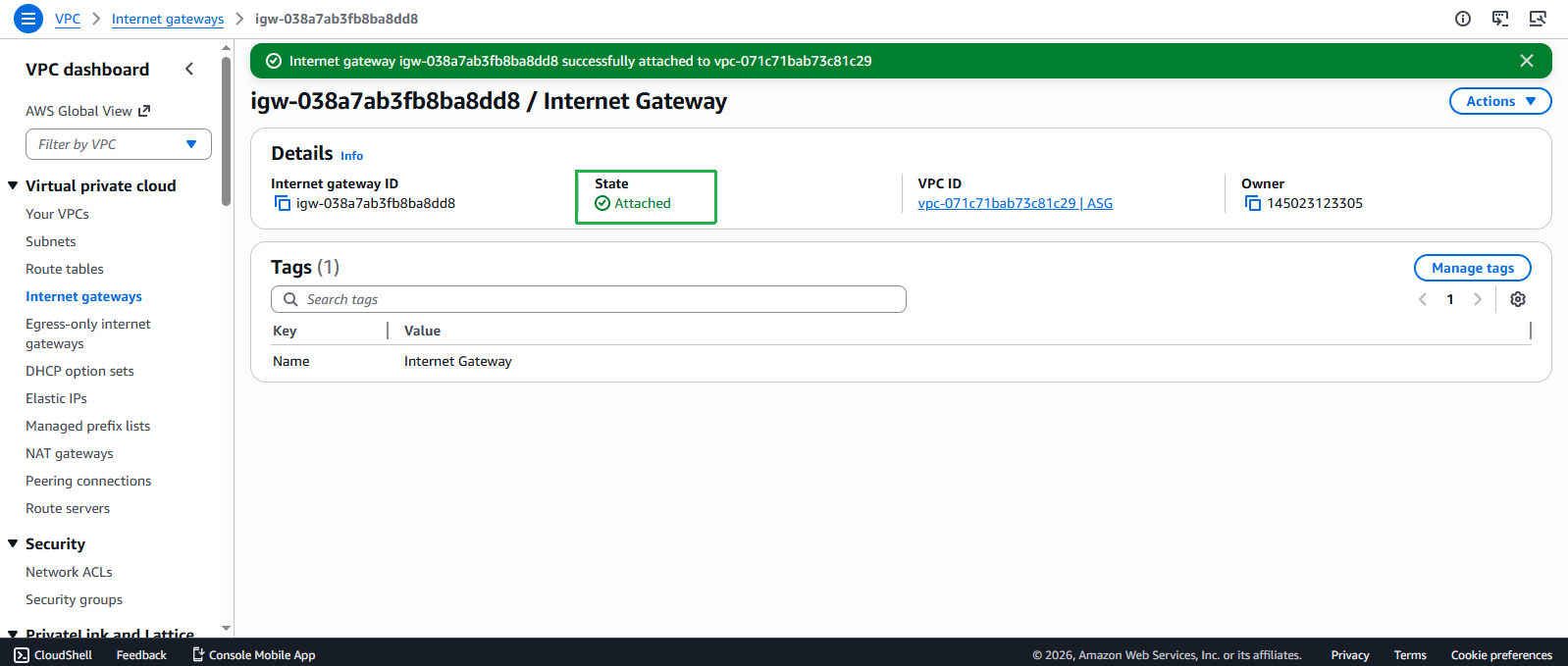
- Confirm successful attachment:
- The State of your Internet Gateway should change to Attached
- The VPC ID is displayed in the VPC column
- This indicates the Internet Gateway is now operational with your VPC
⚠️ Important Consideration
An Internet Gateway alone doesn’t allow instances in your VPC to access the internet. You must also update your route tables to direct internet-bound traffic to the Internet Gateway, which we’ll cover in the next section.
💡 Pro Tip
You can only attach one Internet Gateway to a VPC at a time. This single gateway provides redundant connectivity for all your public subnets within the VPC.