Tạo Security Group
Tạo Security Group trong Amazon VPC
ℹ️ Tổng quan
- Security Group là tường lửa ảo cho các tài nguyên AWS
- Hoạt động như danh sách kiểm soát truy cập (ACL) ở cấp instance
- Cho phép kiểm soát lưu lượng vào/ra theo port và protocol
🔒 Tạo Security Group cho Public Subnet
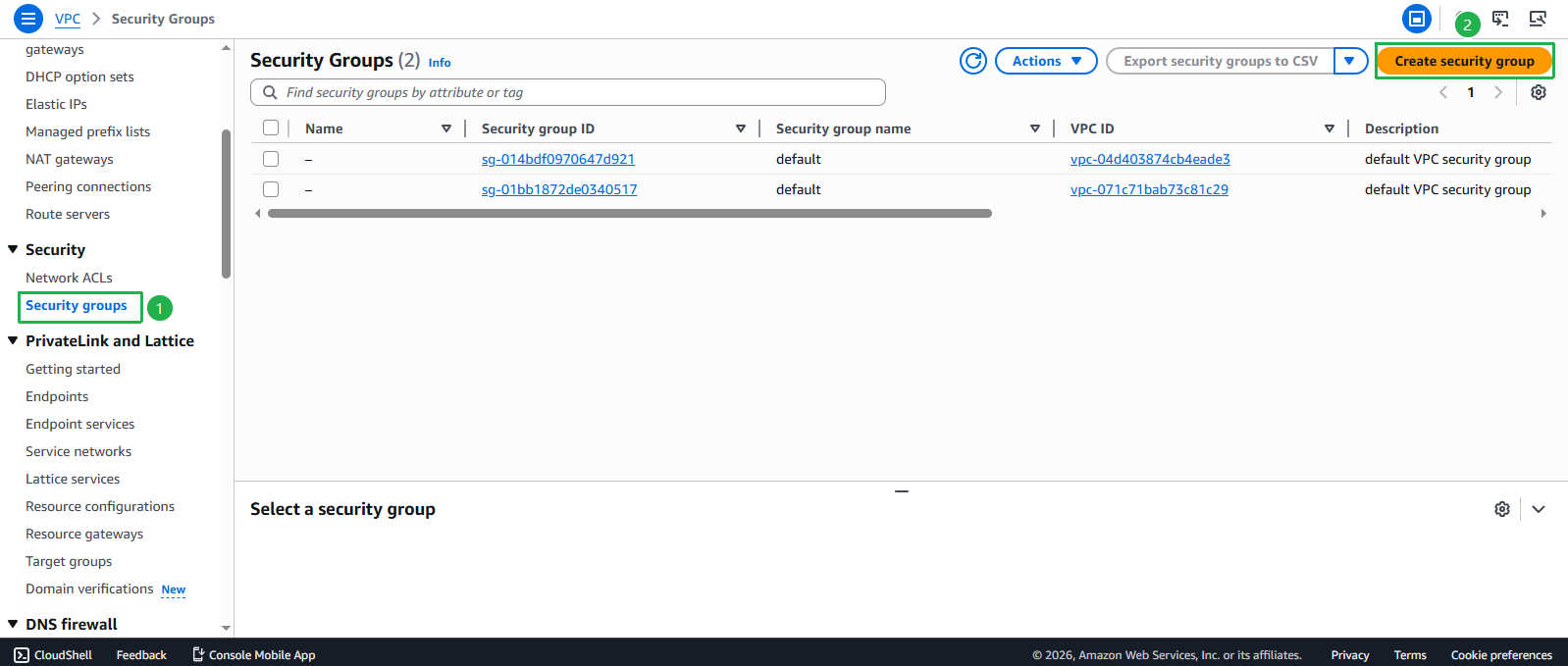
- Truy cập giao diện VPC
- Chọn Security Groups từ menu bên trái
- Click Create security group
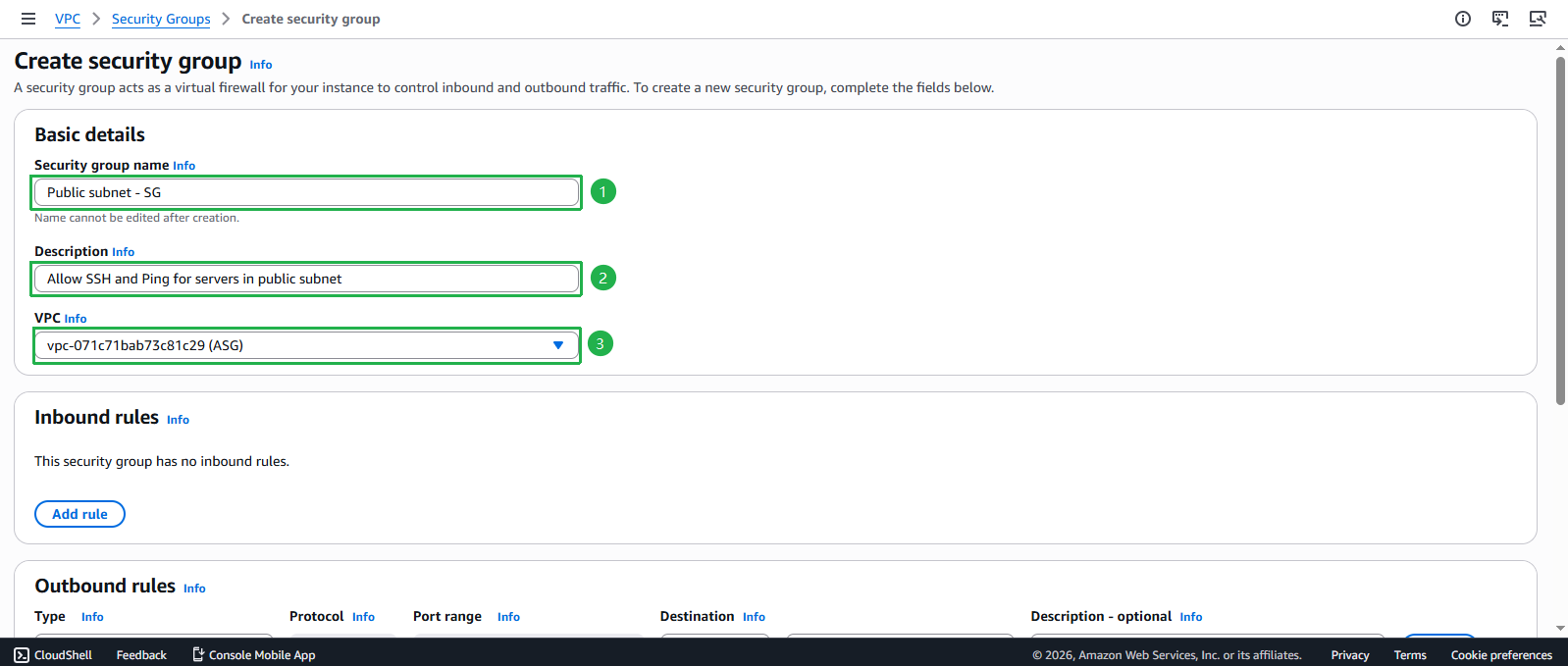
- Cấu hình thông tin cơ bản
- Security Group name: Nhập
Public subnet - SG - Description: Nhập Allow SSH and Ping for servers in public subnet
- VPC: Chọn VPC ASG
- Security Group name: Nhập
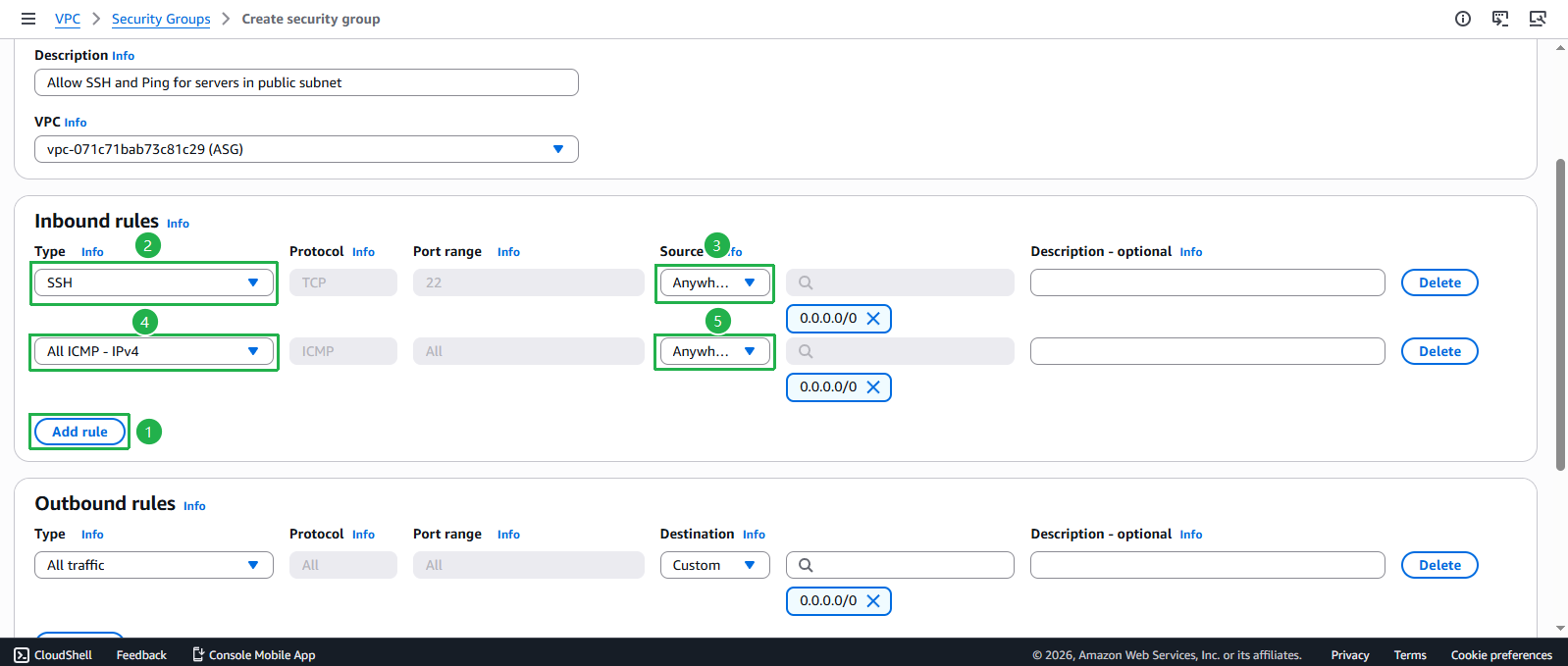
- Thiết lập Inbound Rules
- Click Add rule
- Rule 1:
- Type: SSH
- Source: Anywhere
- Click Add rule lần nữa
- Rule 2:
- Type: All ICMP - IPv4
- Source: Anywhere
🔒 Thực hành Bảo mật Tốt nhất
Giới hạn ICMP trong VPC CIDR ngăn chặn ping sweeps từ bên ngoài trong khi vẫn duy trì khả năng kiểm tra kết nối nội bộ.
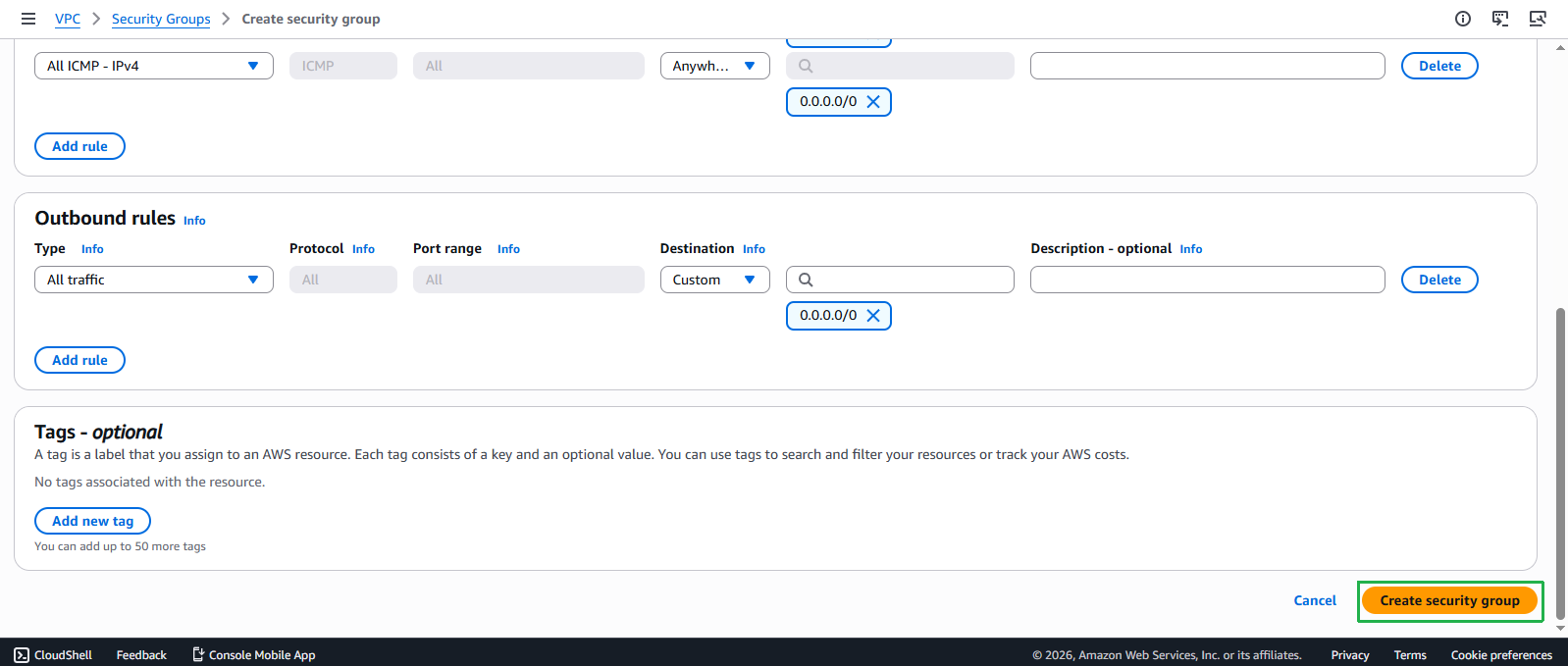
- Xác nhận Outbound Rules và tạo Security Group
- Mặc định, tất cả outbound traffic được cho phép
- Click Create security group
- Kiểm tra Security Group đã tạo
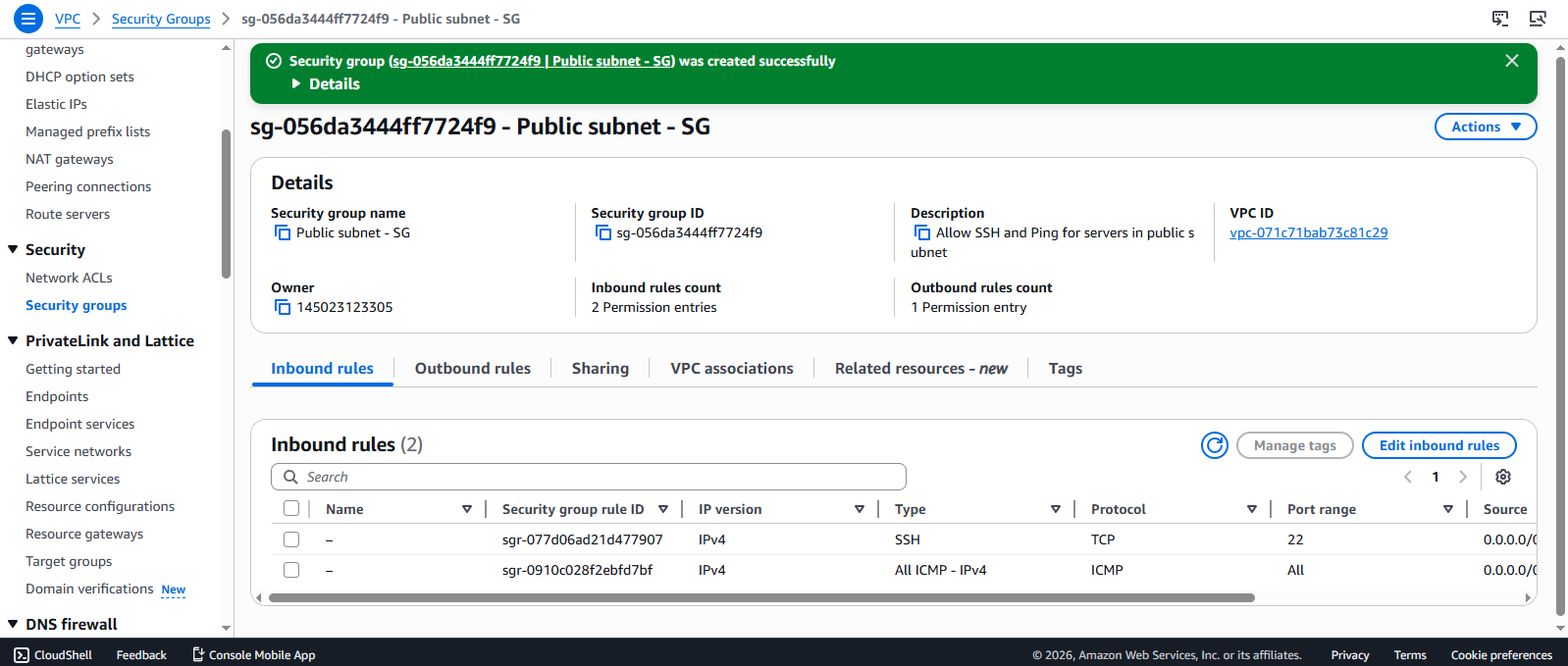
- Bạn sẽ thấy thông báo thành công
- Security group mới xuất hiện trong danh sách
🔒 Tạo Security Group cho Private Subnet
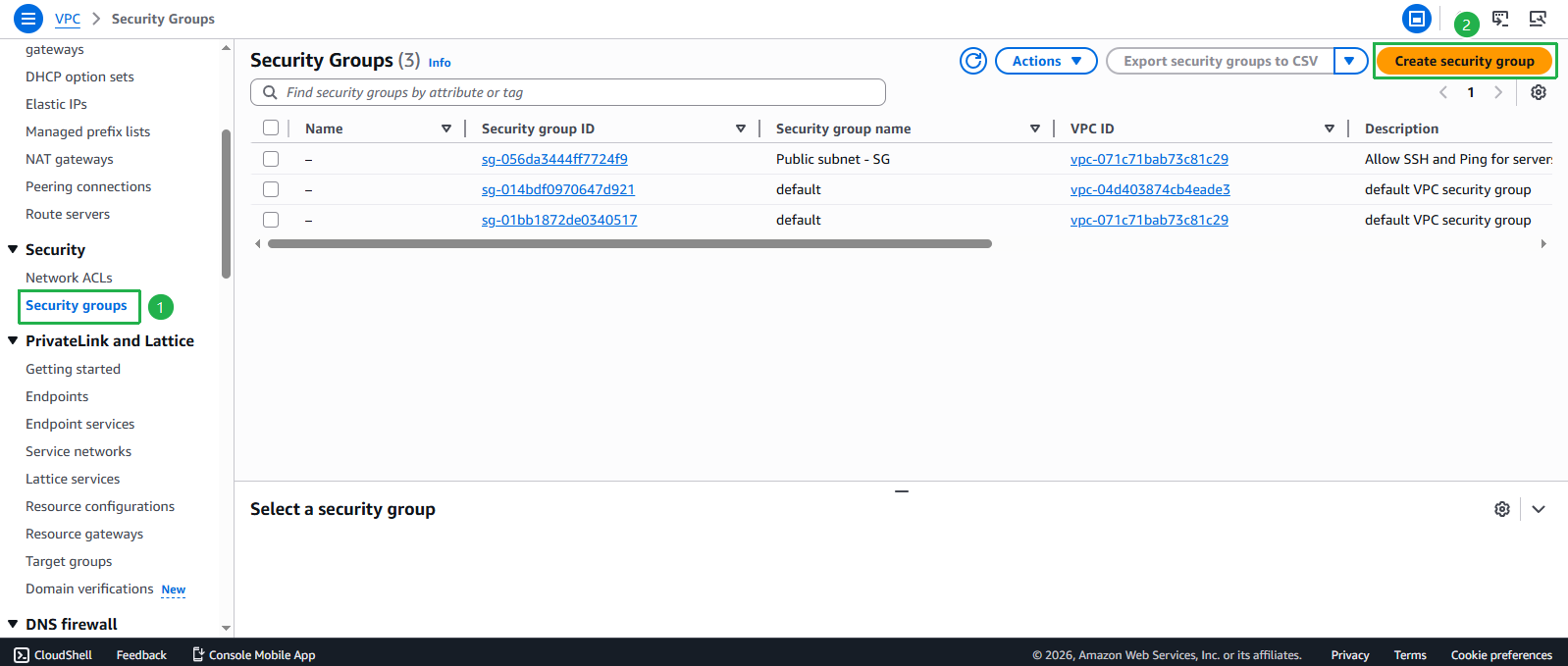
- Truy cập lại giao diện Security Groups
- Click Create security group
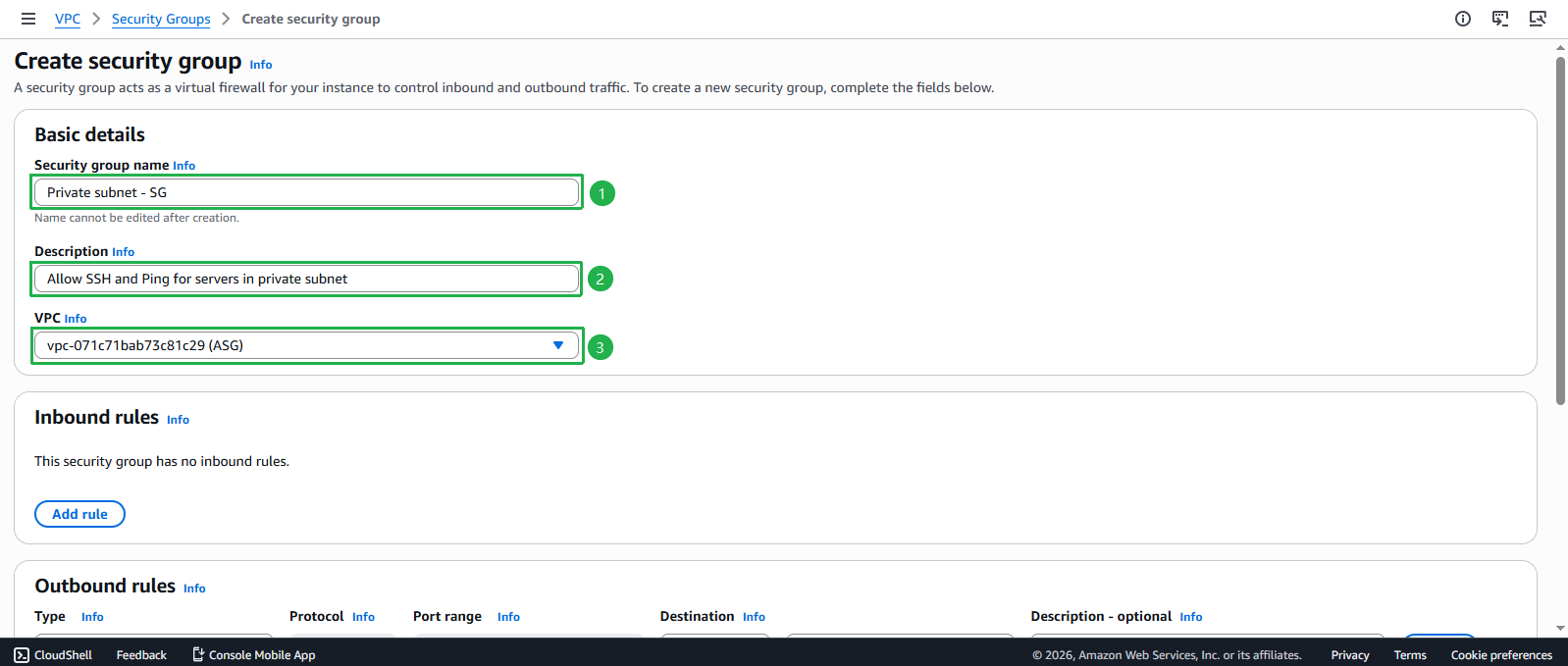
- Cấu hình thông tin cơ bản
- Security Group name: Nhập
Private subnet - SG - Description: Nhập Allow SSH and Ping for servers in private subnet
- VPC: Chọn VPC ASG
- Security Group name: Nhập
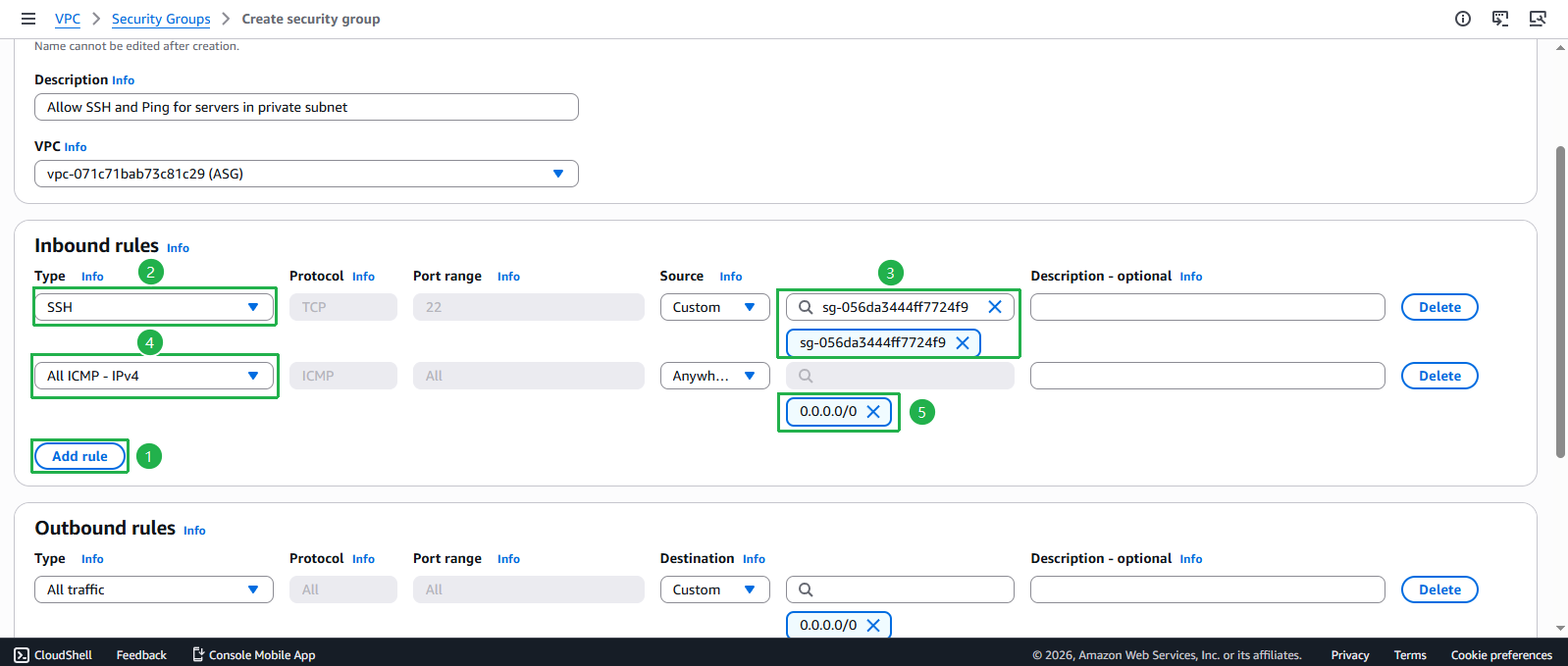
Thiết lập Inbound Rules cho SSH
- Click Add rule
- Type: SSH
- Source: Custom
- Tìm kiếm và chọn Security Group Public subnet - SG (chỉ cho phép SSH từ instances trong public subnet)
Thêm rule cho ICMP
- Click Add rule
- Type: All ICMP - IPv4
- Source: Anywhere
 🔒 Thực hành Bảo mật Tốt nhất
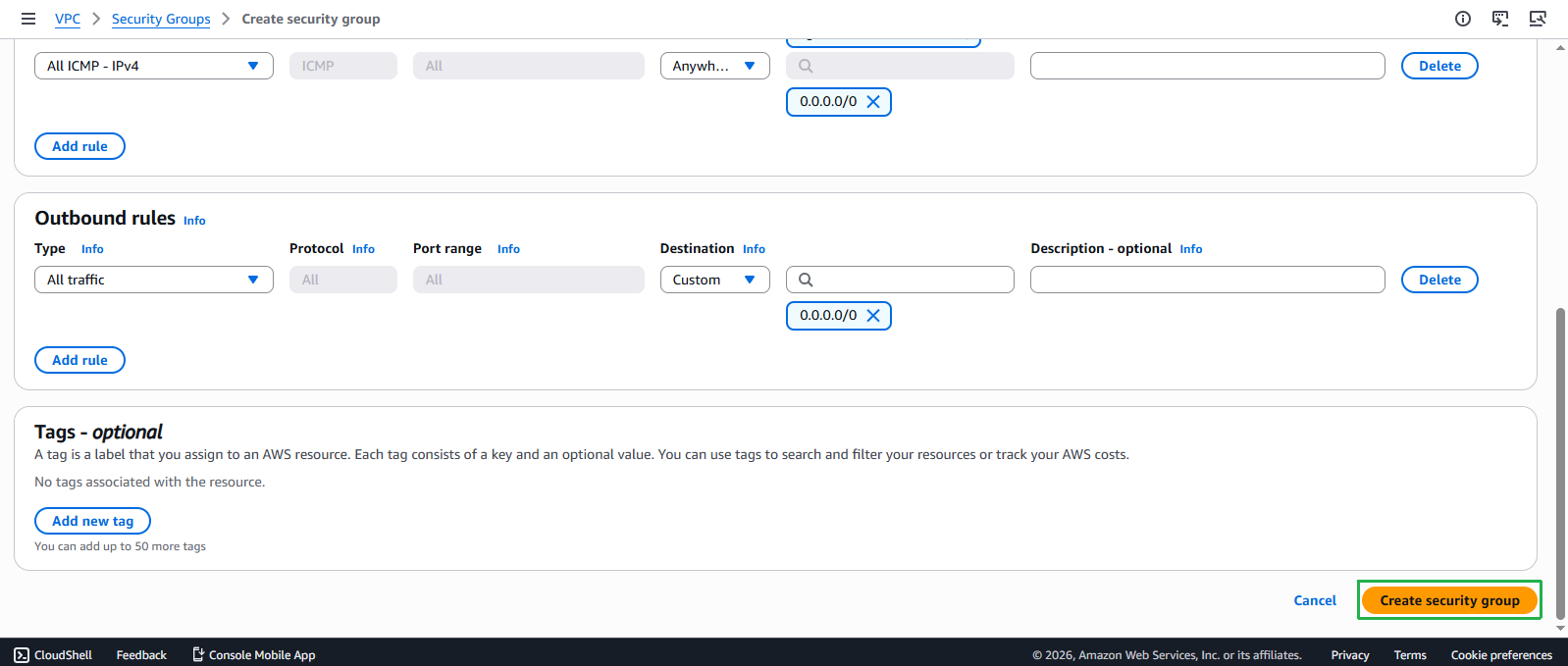
Giới hạn ICMP trong VPC CIDR đảm bảo chỉ các tài nguyên nội bộ có thể thực hiện ping tests, giảm bề mặt tấn công trong khi vẫn duy trì khả năng troubleshooting.Hoàn tất tạo Security Group
- Xem lại các cấu hình
- Click Create security group
Cấu hình Security Group cho VPC Endpoints
- Tạo security group bổ sung cho VPC endpoints:
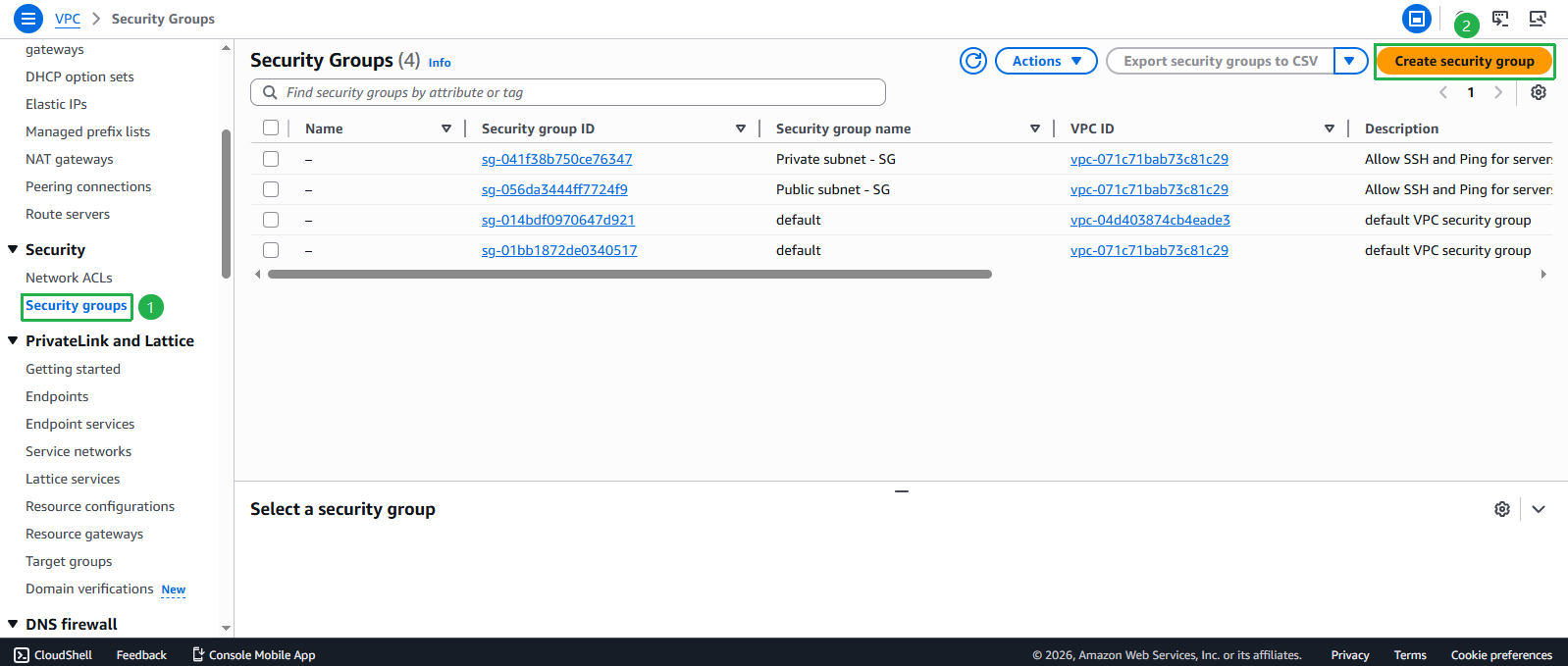
- Quay lại Security Groups
- Nhấp Create security group
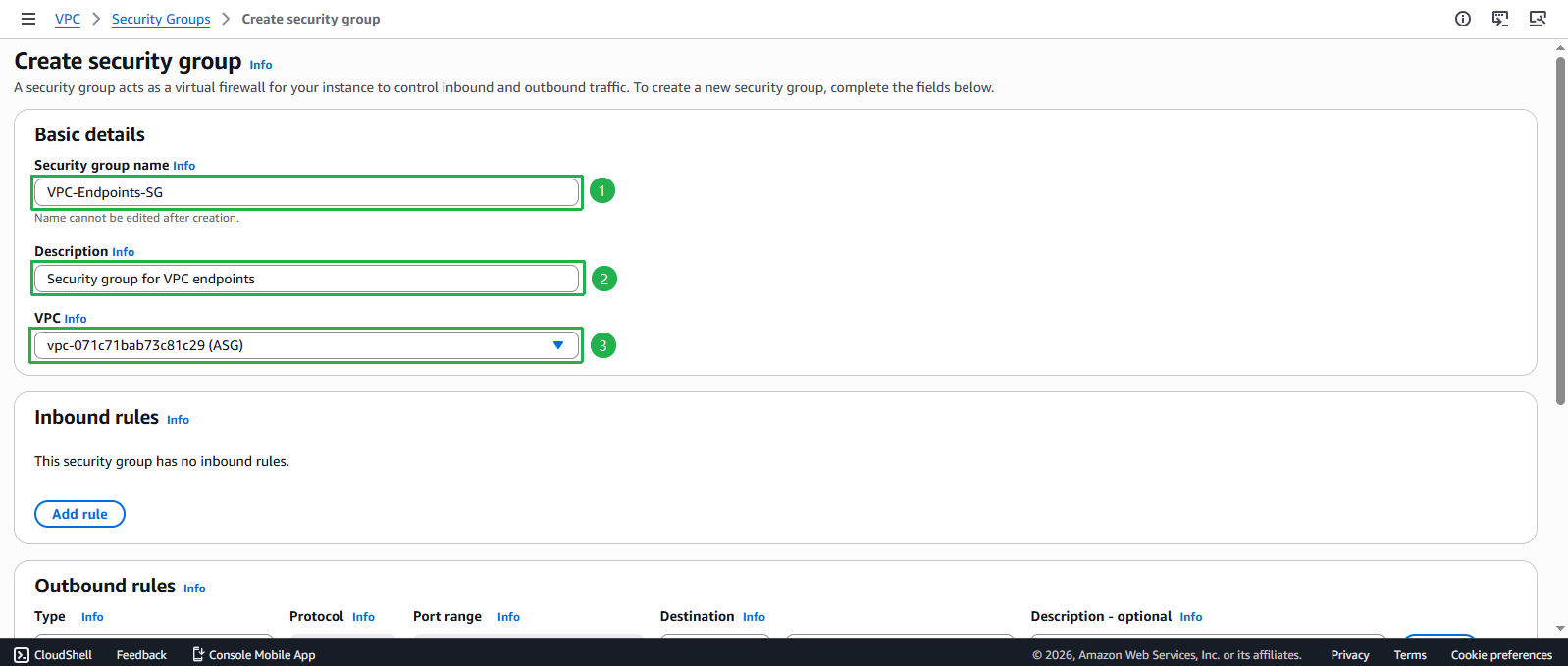
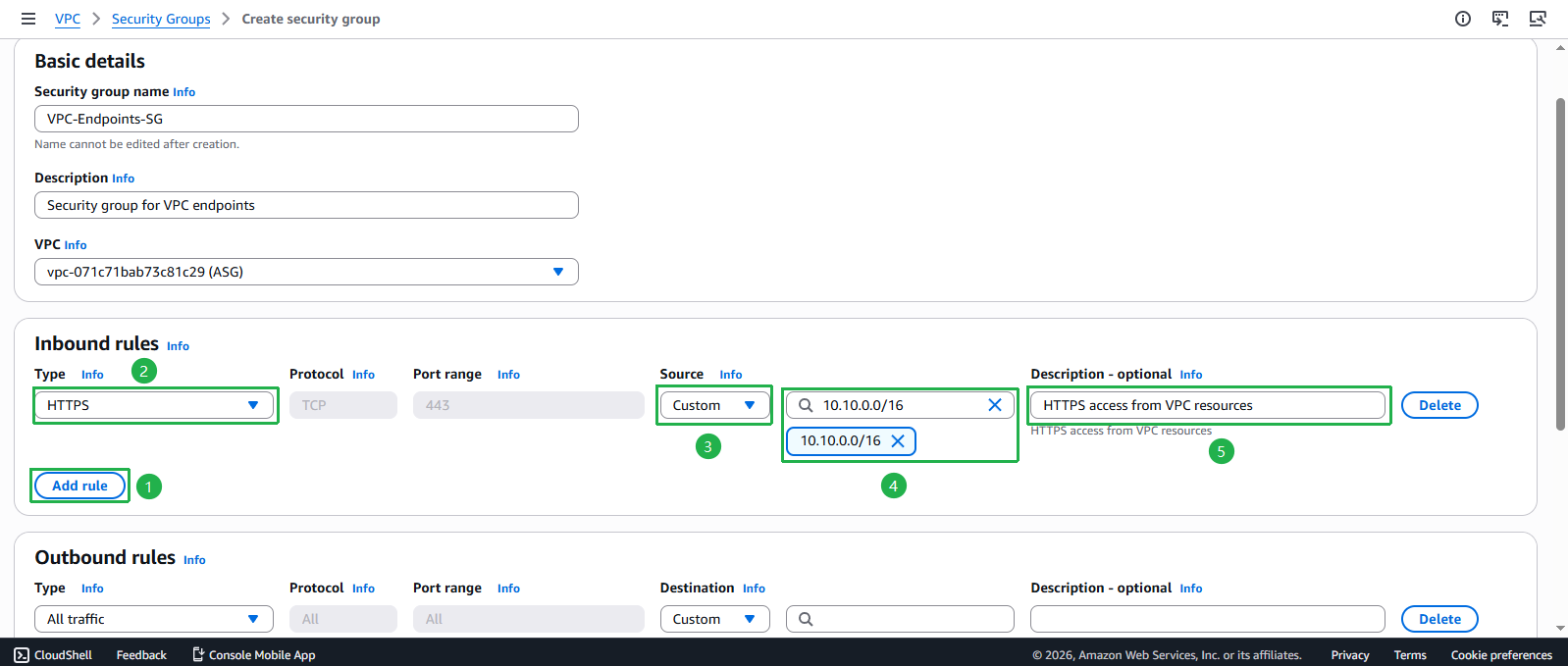
- Security group name: Nhập
VPC-Endpoints-SG - Description: Nhập
Security group for VPC endpoints - VPC: Chọn VPC ASG từ dropdown
- Cấu hình quy tắc security group cho VPC Endpoints:
- Inbound rules:
- Nhấp Add rule
- Type: Chọn HTTPS
- Source: Chọn Custom và nhập 10.10.0.0/16 (VPC CIDR)
- Description: Nhập
HTTPS access from VPC resources
- Inbound rules:
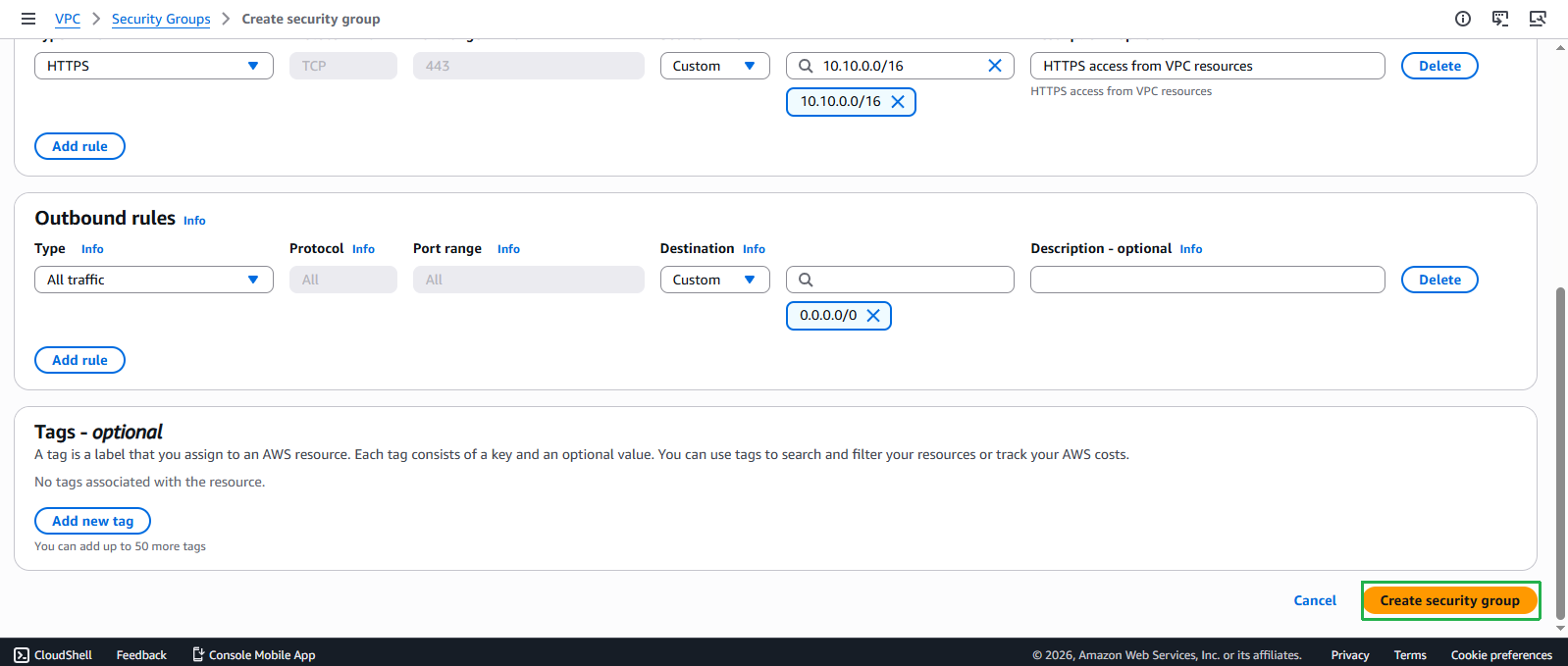
- Outbound rules: Giữ mặc định (Cho phép tất cả traffic)
- Nhấp Create security group
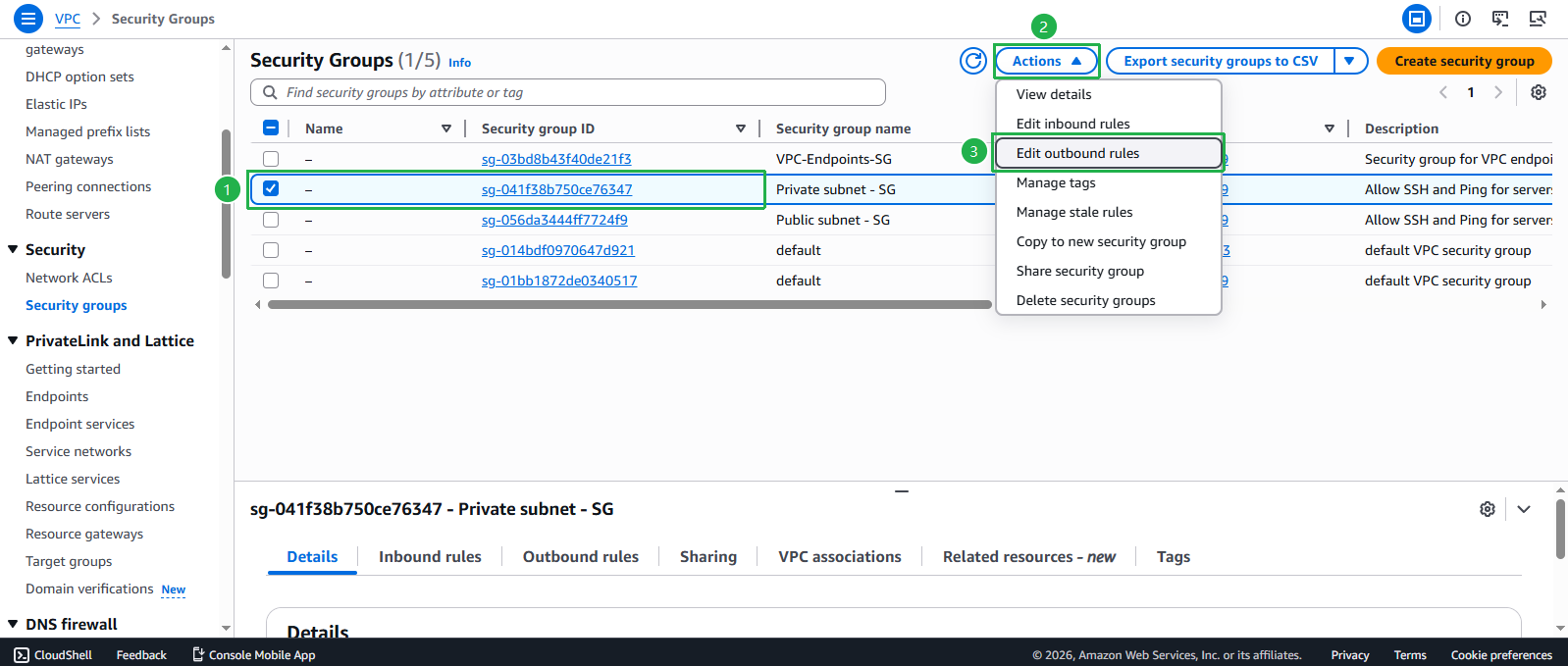
- Cập nhật Private Subnet Security Group để truy cập VPC endpoint:
- Chọn Private subnet - SG
- Nhấp Actions > Edit outbound rules
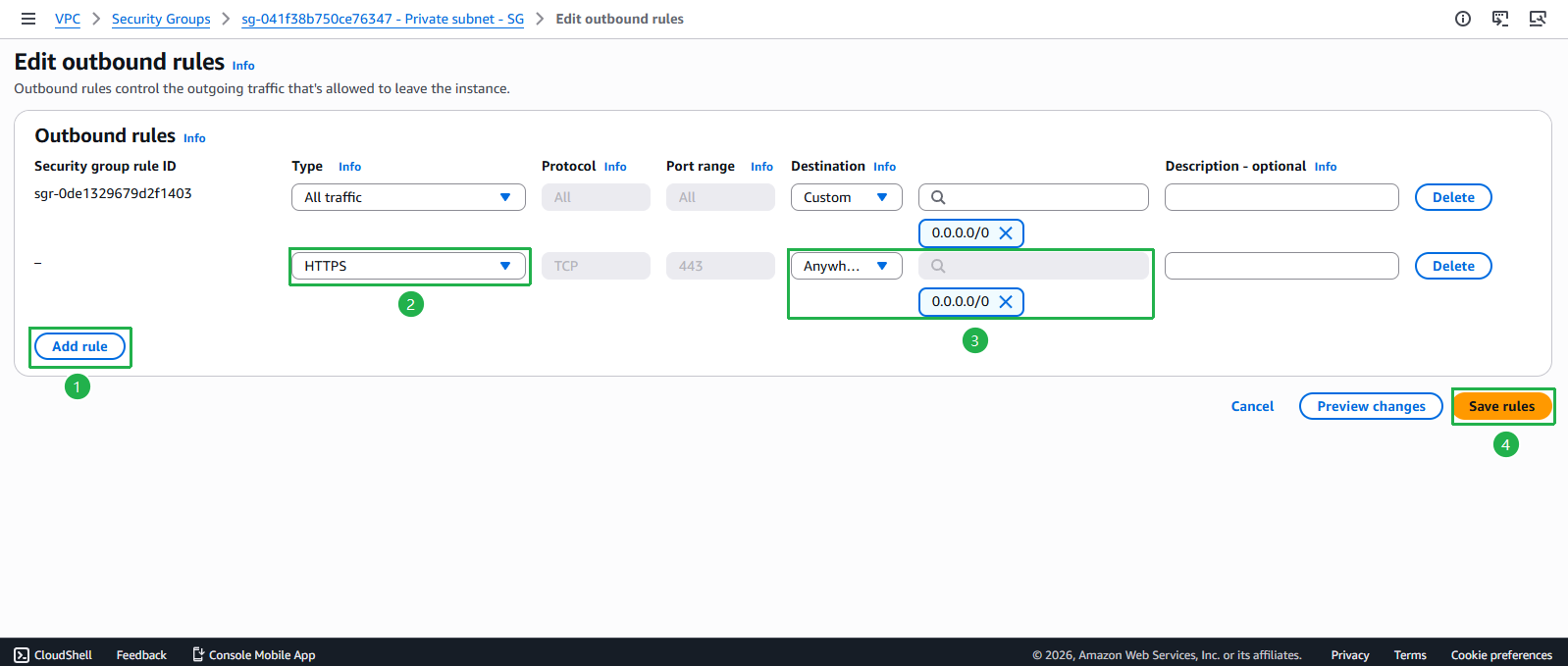
- Đảm bảo quy tắc outbound sau tồn tại:
- Type: HTTPS
- Destination: 0.0.0.0/0
- Description:
HTTPS to AWS services and VPC endpoints
- Nhấp Save rules
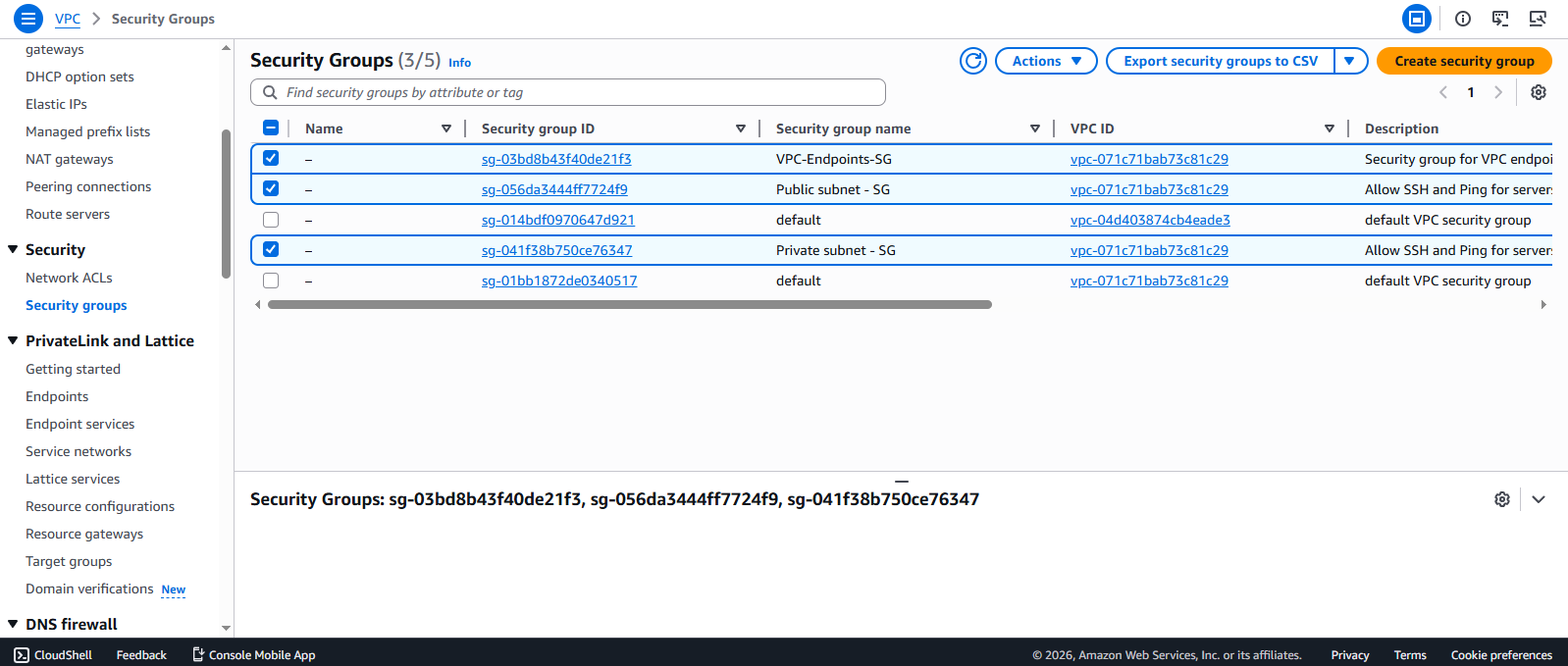
💡 Xác nhận Cấu hình 14. Kiểm tra ba Security Groups đã tạo:
- Public subnet - SG: Cho phép SSH từ IP của bạn và ICMP từ VPC
- Private subnet - SG: Cho phép SSH từ Public subnet và ICMP từ VPC
- VPC-Endpoints-SG: Cho phép HTTPS từ VPC để truy cập AWS services