AWS Systems Manager Session Manager
Secure Shell Access with AWS Systems Manager Session Manager
ℹ️ What is Session Manager?
AWS Systems Manager Session Manager provides secure, auditable, browser-based interactive shell access to EC2 instances without the need for SSH keys, bastion hosts, or open inbound ports in security groups.
Benefits of Session Manager
🔒 Enhanced Security:
- No SSH keys to manage or rotate
- No open inbound ports required
- All sessions are logged and auditable
- IAM-based access control
💰 Cost Optimization:
- Eliminates need for bastion hosts
- Reduces NAT Gateway data transfer costs
- No additional infrastructure required
⚡ Operational Excellence:
- Centralized access management
- Session recording capabilities
- Integration with CloudTrail for compliance
Prerequisites for Session Manager
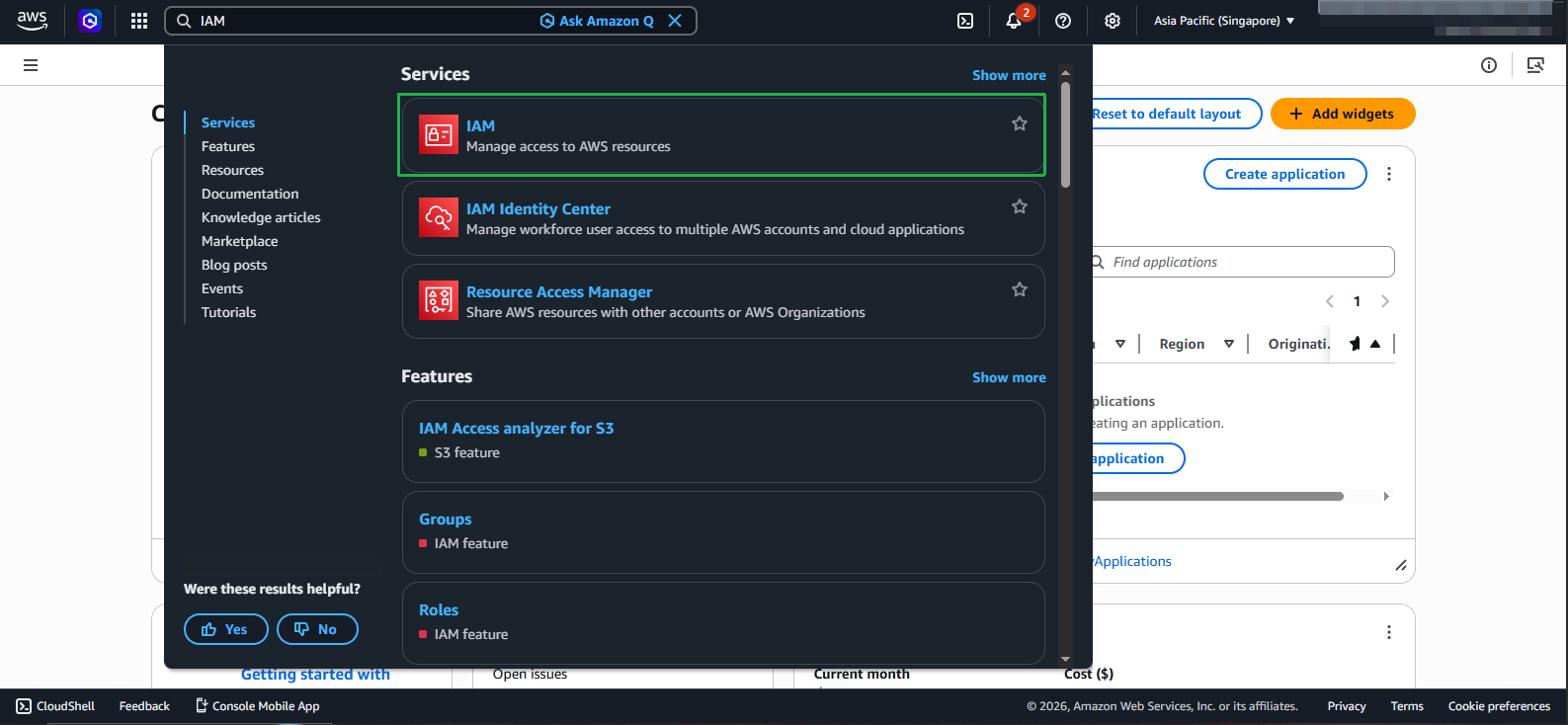
- IAM Role for EC2 Instances:
- Navigate to IAM console
- Select Roles from the left navigation
- Click Create role
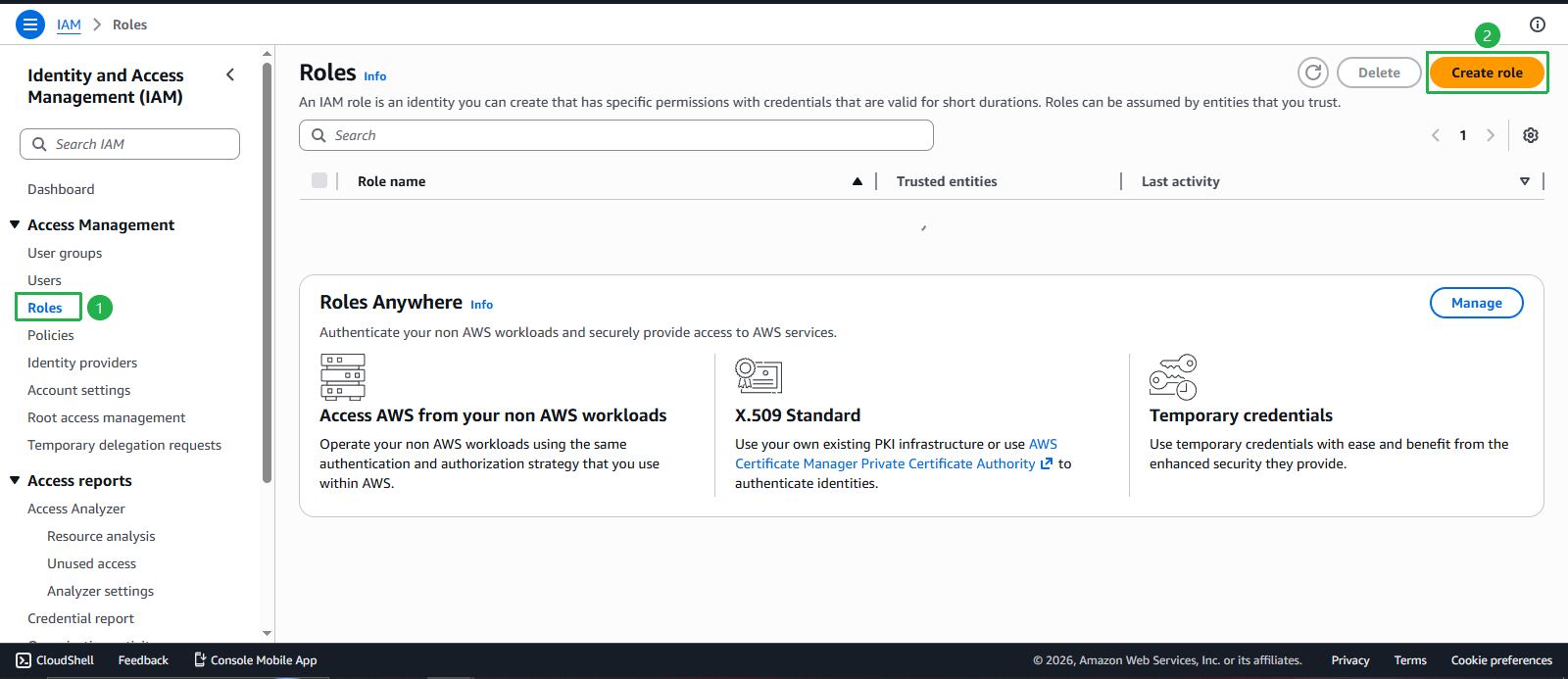
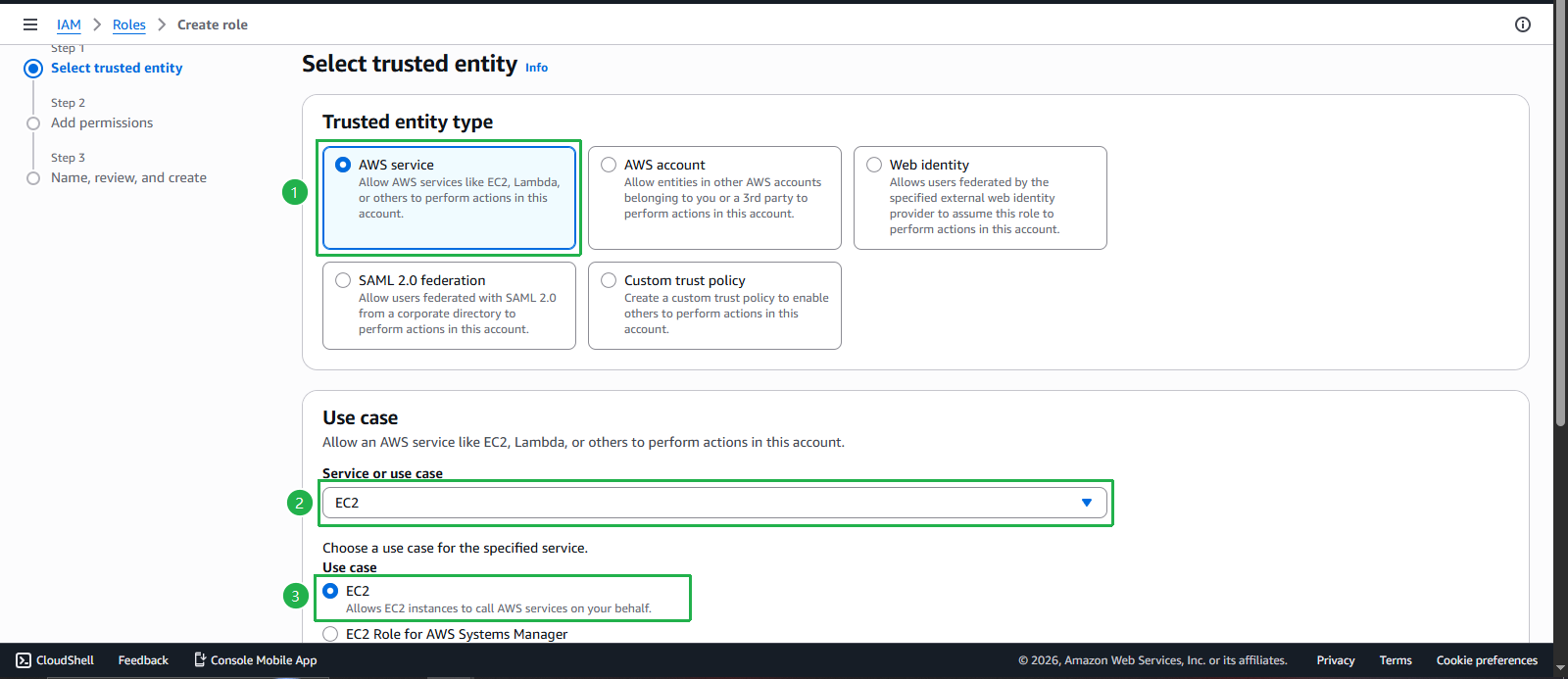
- Configure the IAM role:
- Trusted entity type: Select AWS service
- Service: Select EC2
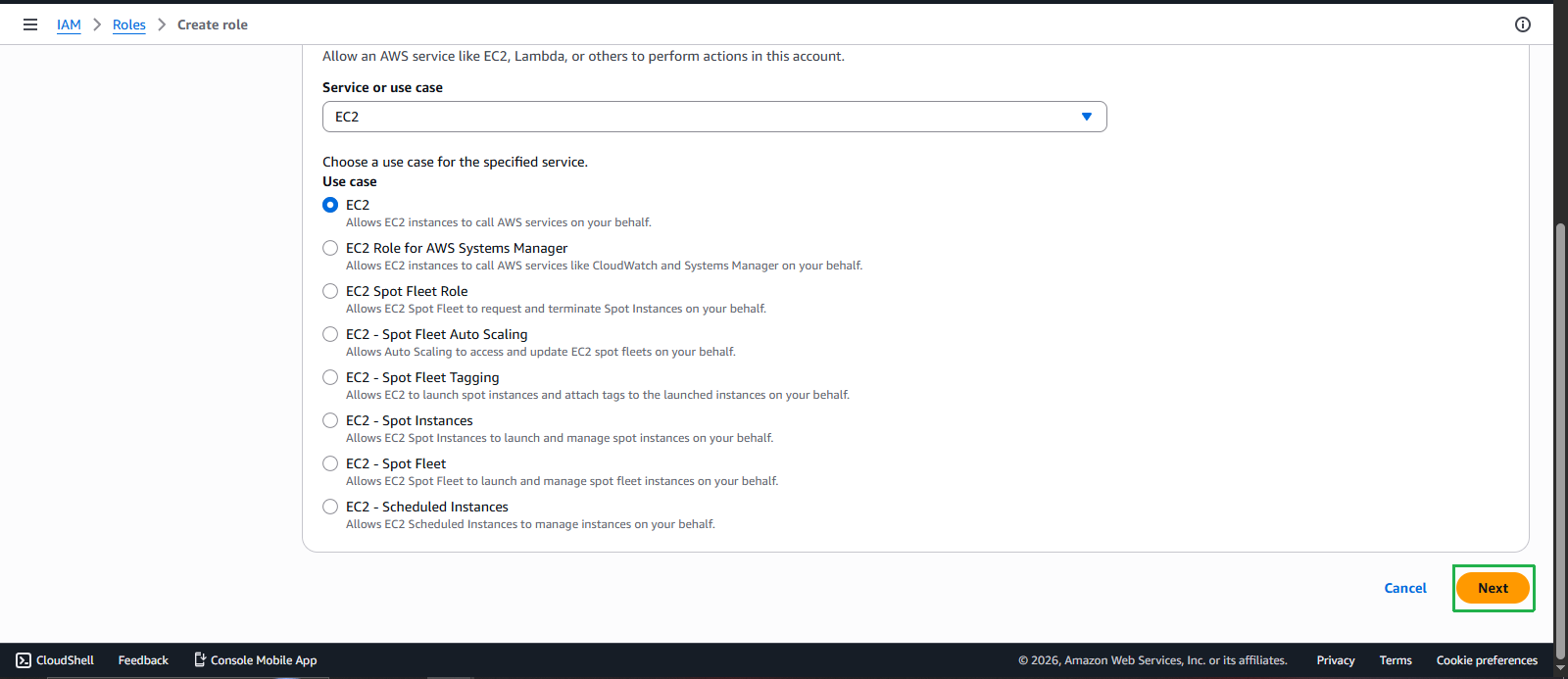
- Click Next
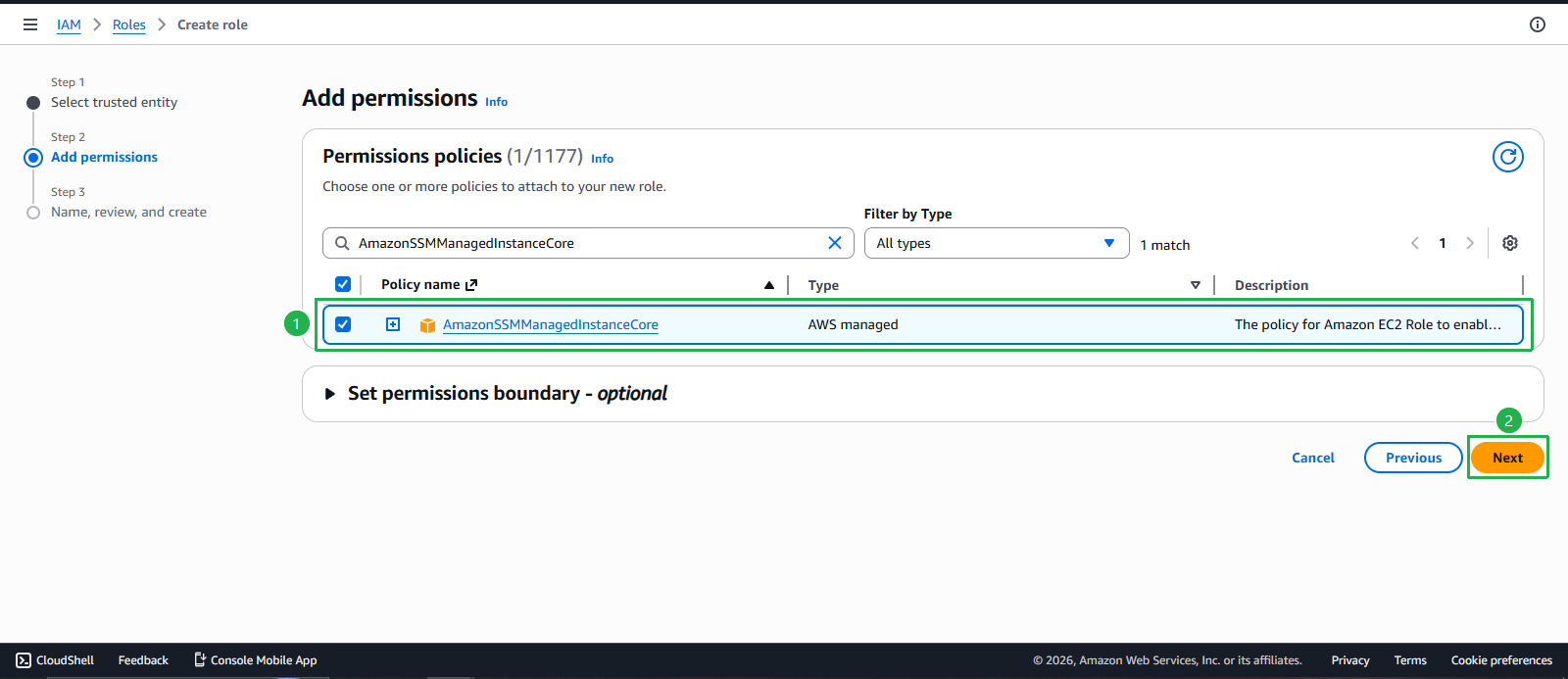
- Attach the required policy:
- Search for and select AmazonSSMManagedInstanceCore
- This policy provides the minimum permissions required for Session Manager
- Click Next
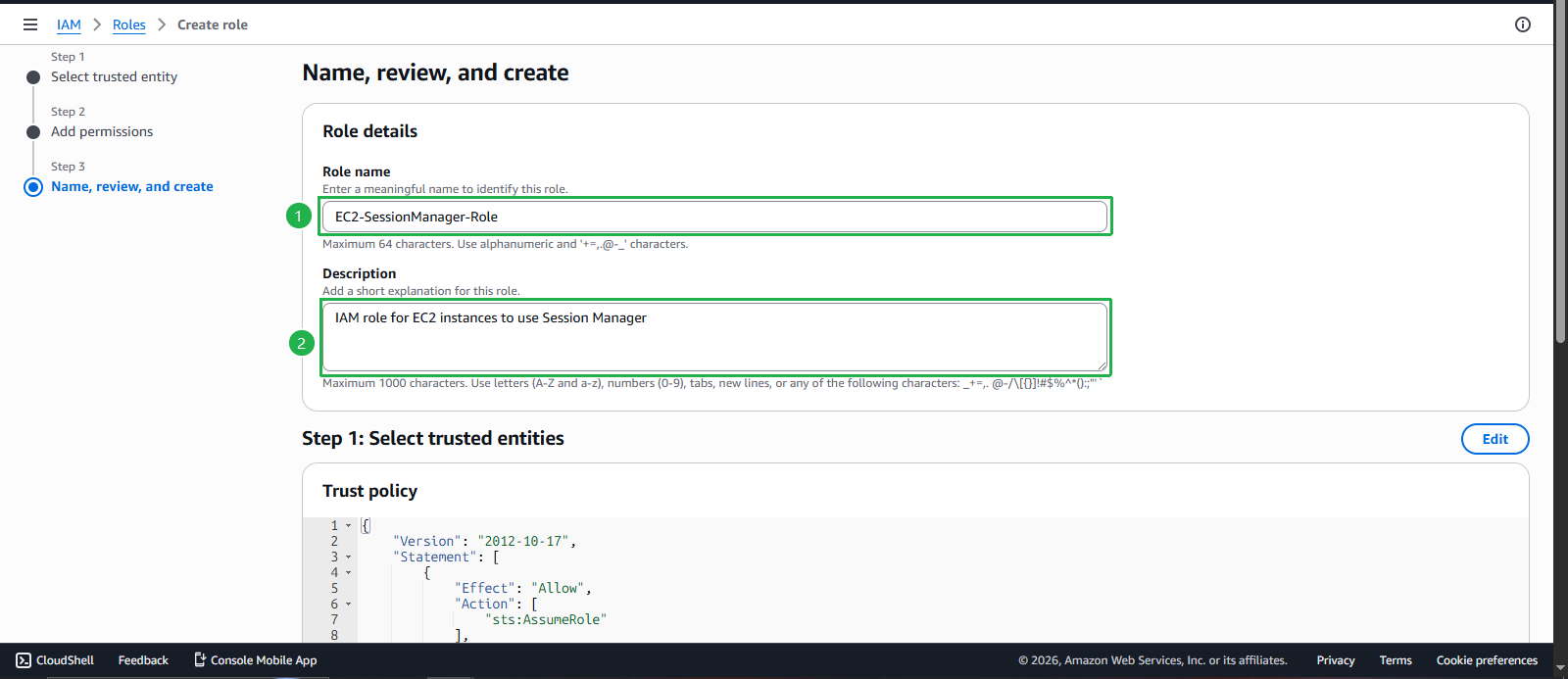
- Name and create the role:
- Role name: Enter
EC2-SessionManager-Role - Description: Enter
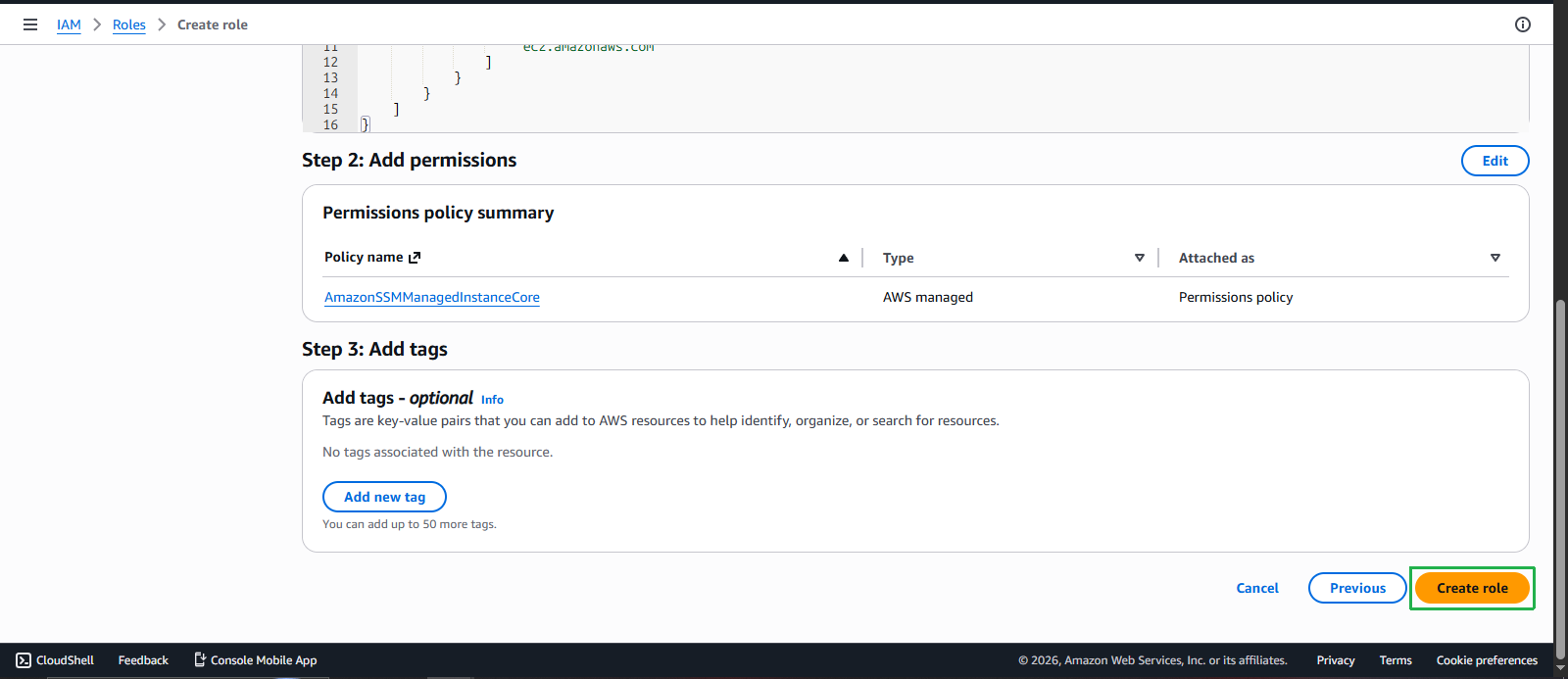
IAM role for EC2 instances to use Session Manager - Click Create role
- Role name: Enter
Attach IAM Role to EC2 Instances
- Attach the role to your EC2 instances:
- Navigate to EC2 console
- Select Instances
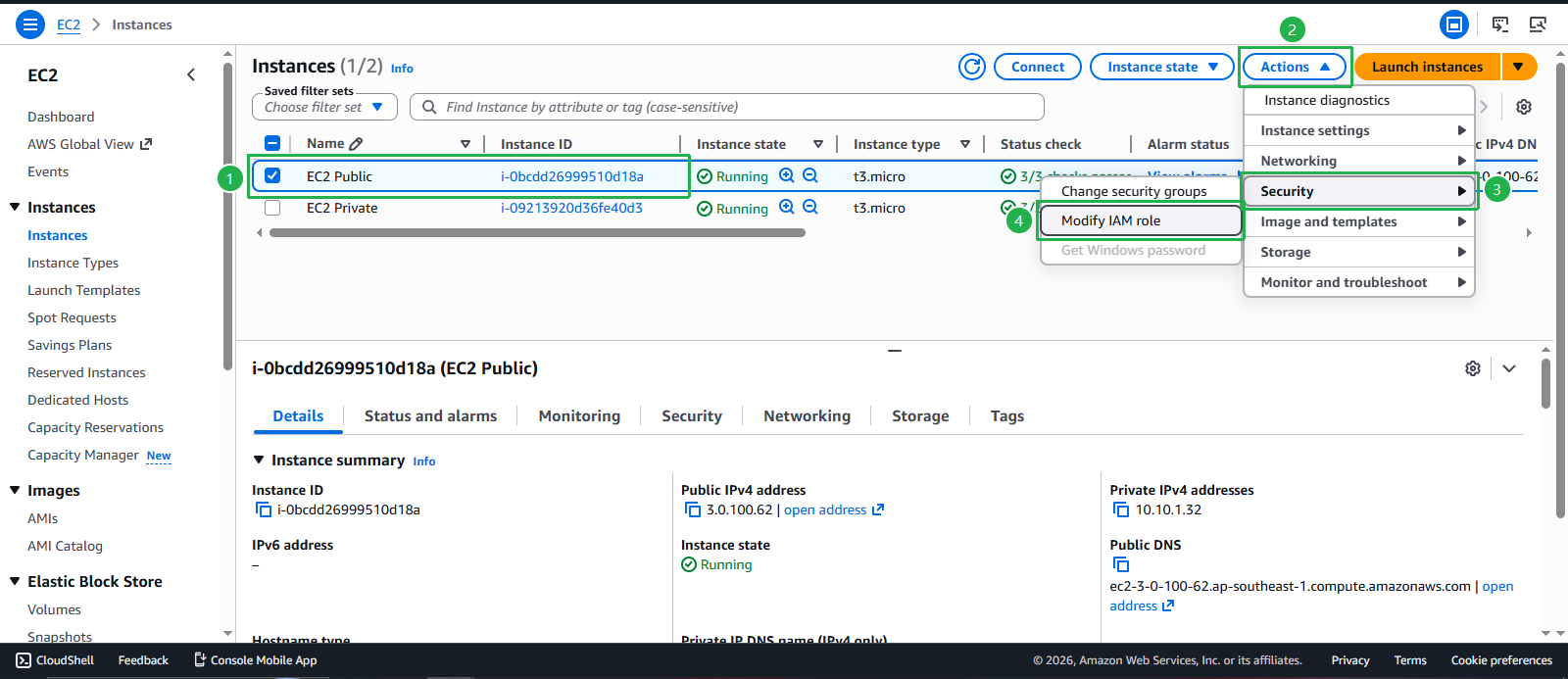
- Select your EC2 Public instance
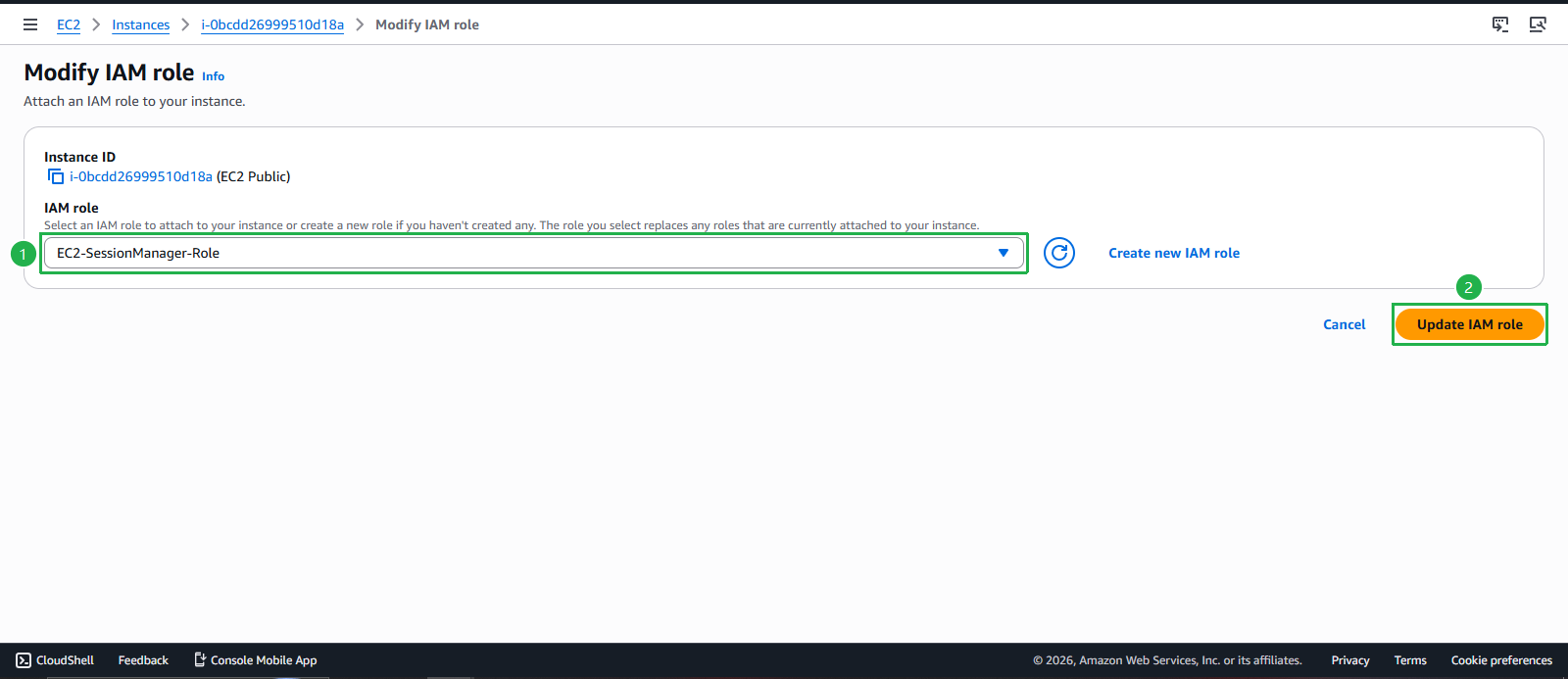
- Click Actions > Security > Modify IAM role
- Assign the IAM role:
- IAM role: Select EC2-SessionManager-Role
- Click Update IAM role
- Repeat the process for your EC2 Private instance:
- Select EC2 Private instance
- Actions > Security > Modify IAM role
- Select EC2-SessionManager-Role
- Click Update IAM role
Create VPC Endpoints for Session Manager
- Create VPC Endpoints for private subnet access:
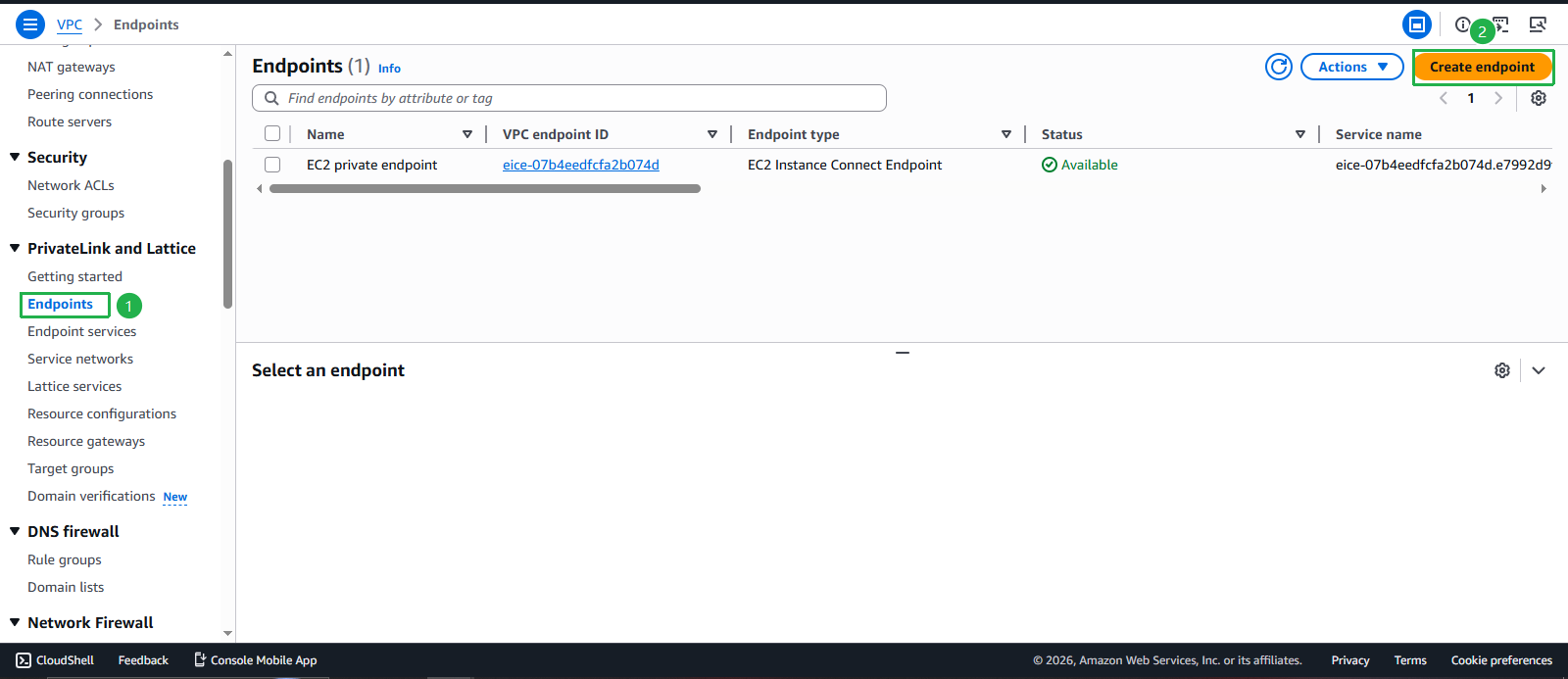
- Navigate to VPC console
- Select Endpoints from the left navigation
- Click Create endpoint
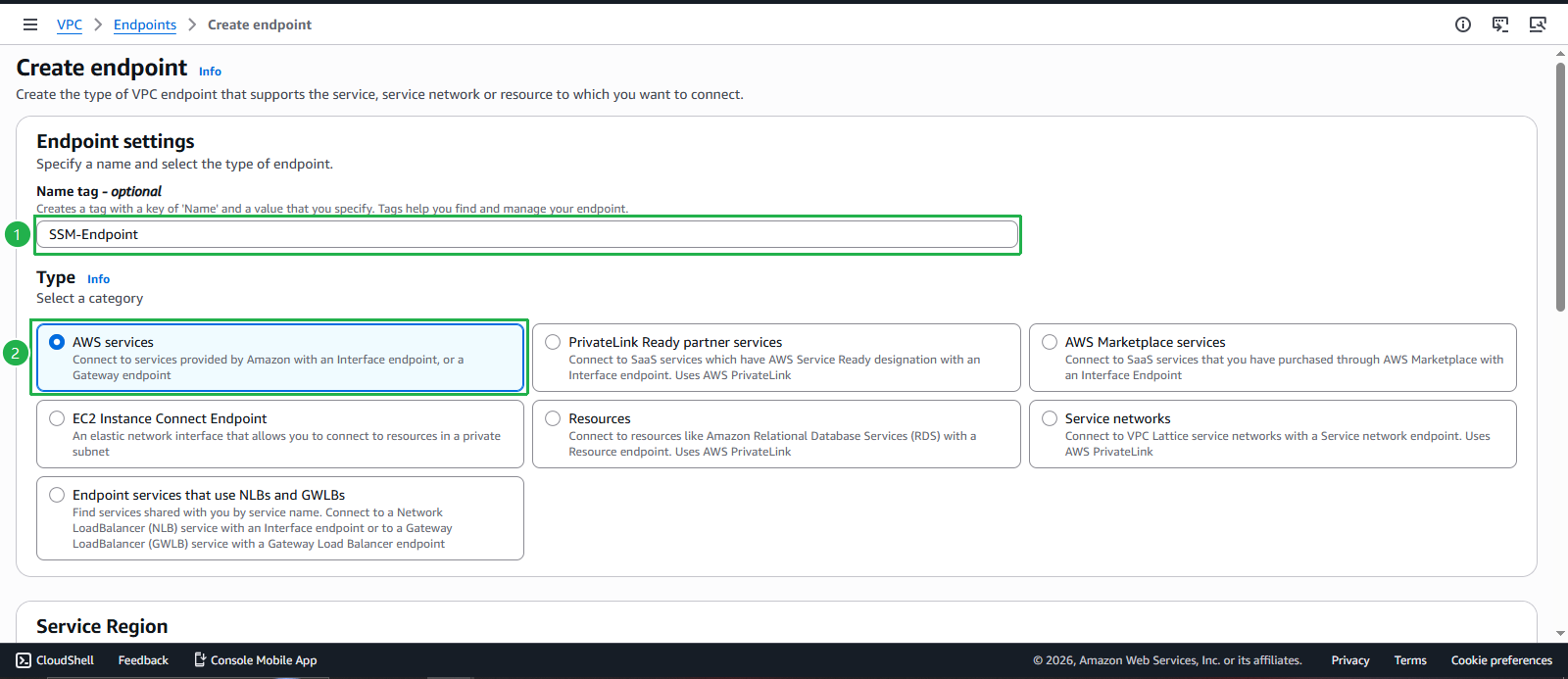
- Configure SSM endpoint:
- Name tag: Enter
SSM-Endpoint - Service category: Select AWS services
- Service name: Search and select com.amazonaws.us-west-1.ssm
- Name tag: Enter
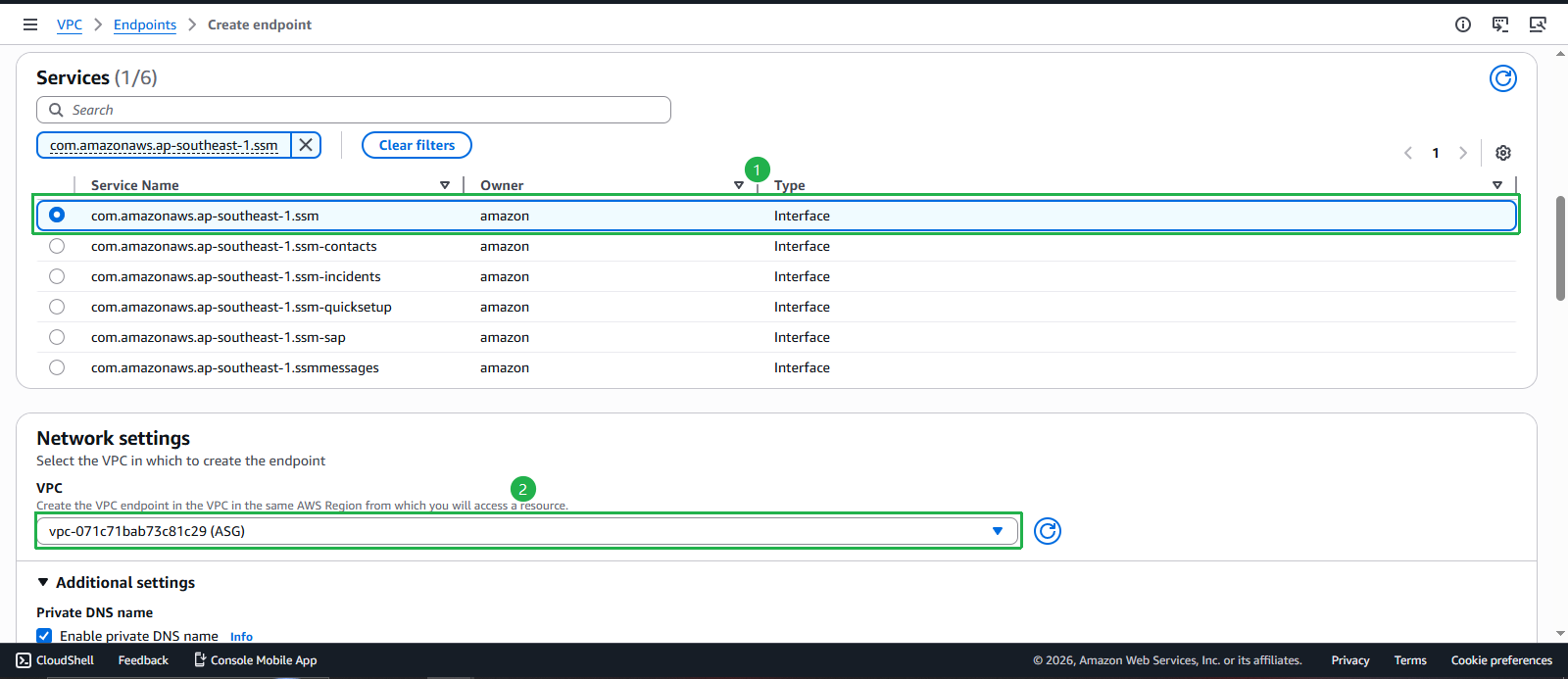
- VPC: Select your ASG VPC
- Subnets: Select Private Subnet 1 and Private Subnet 2
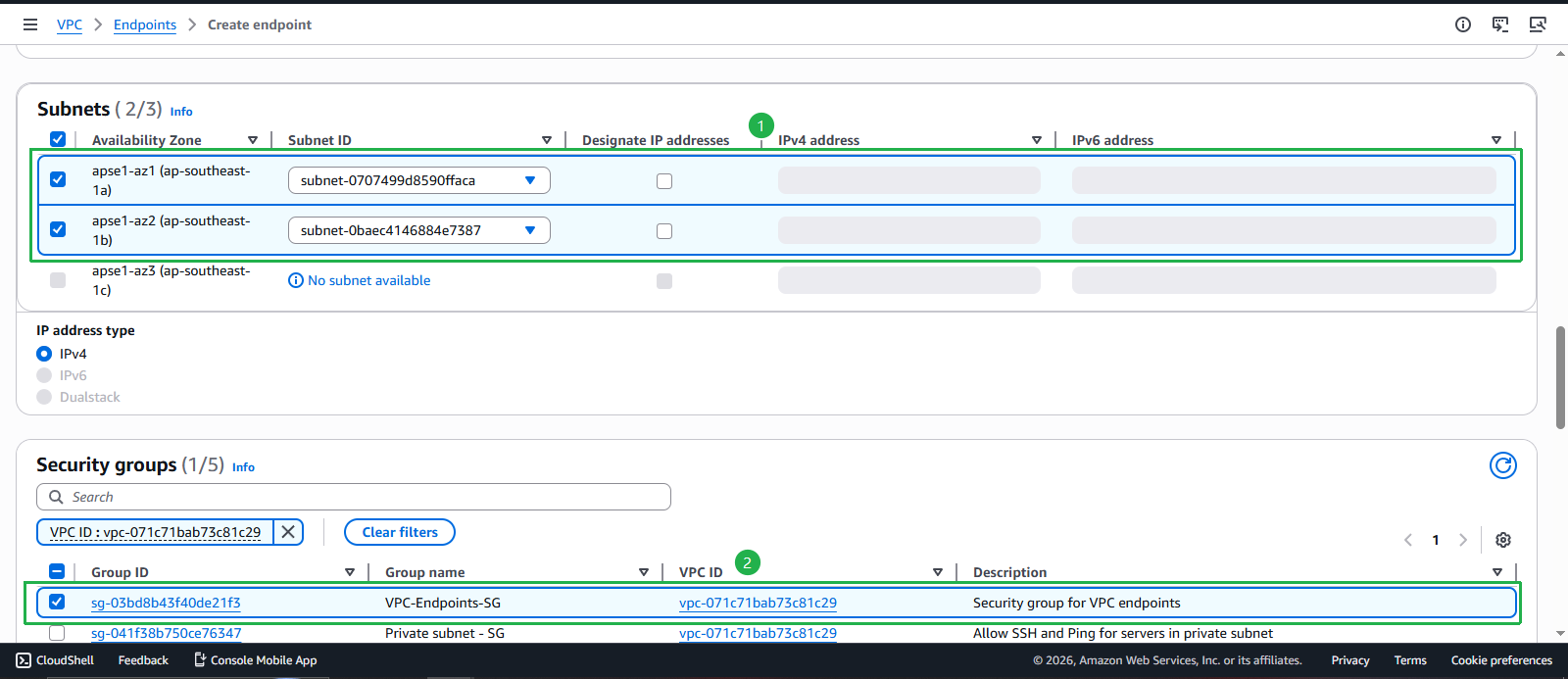
- Security groups: Select VPC-Endpoints-SG
- Policy: Select Full access (for this workshop)
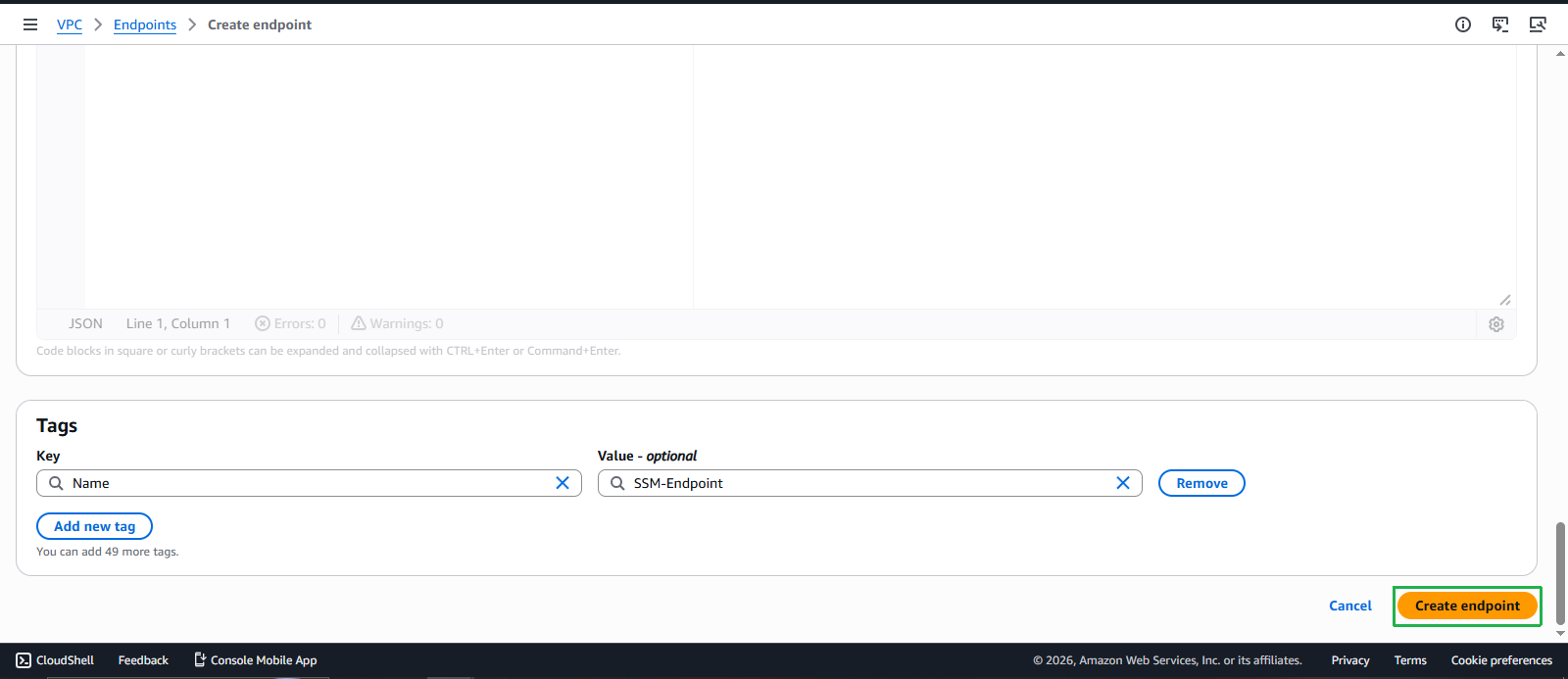

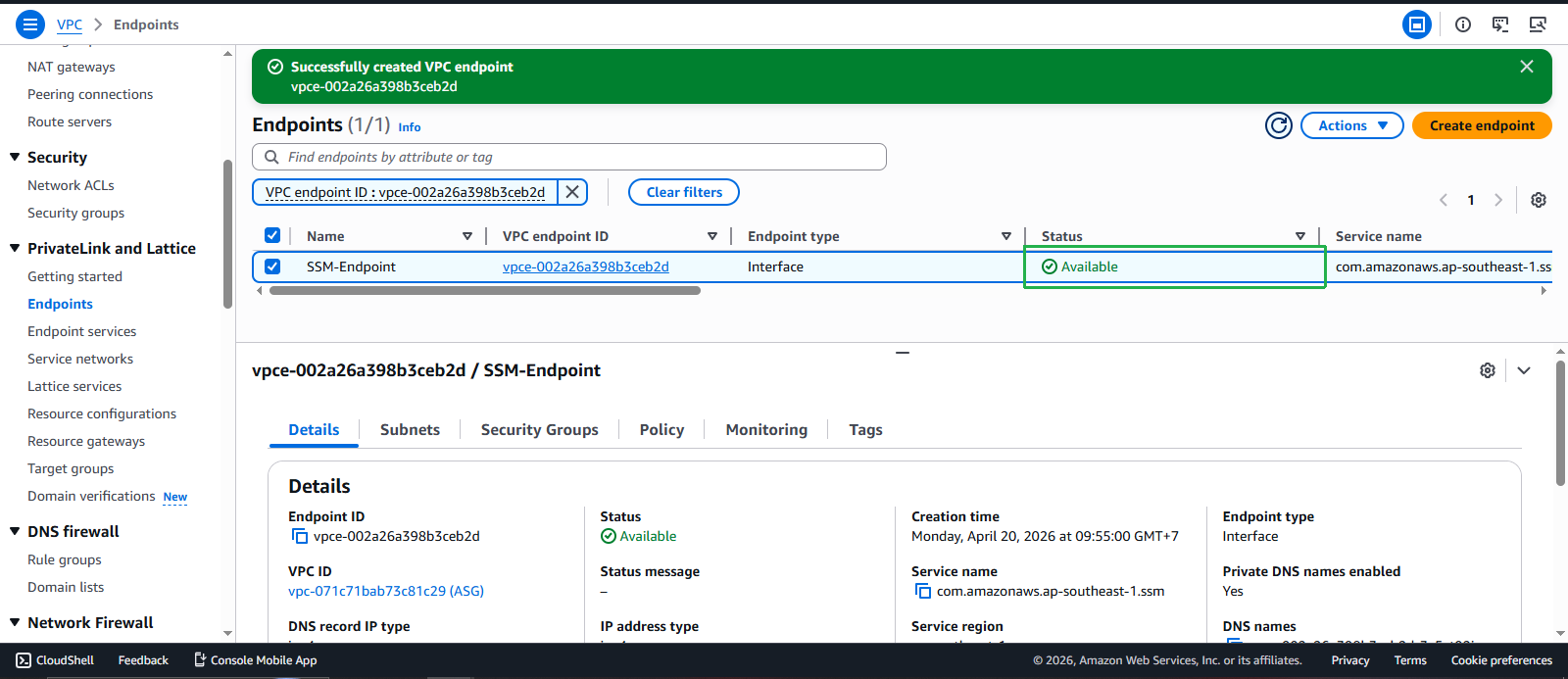
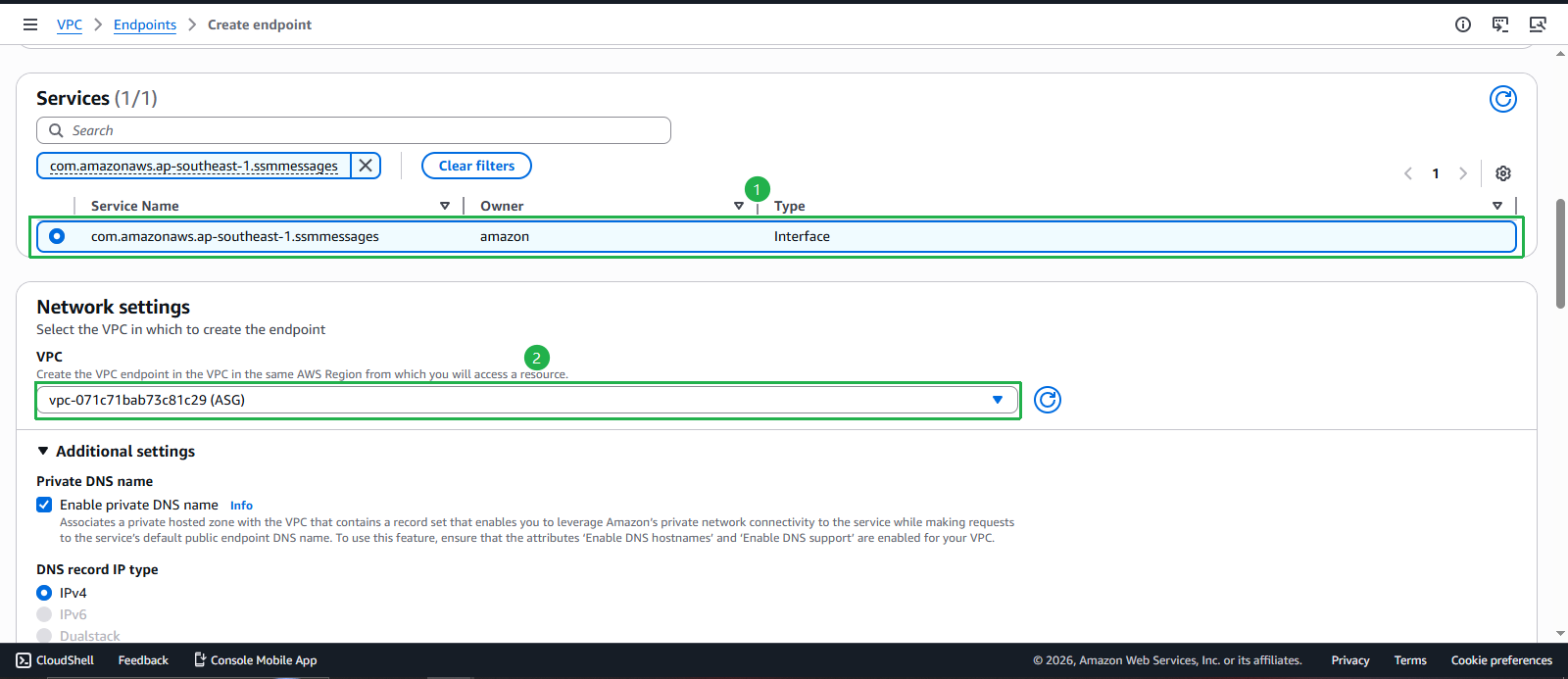
- Configure additional required endpoints:
- Create SSM Messages endpoint: com.amazonaws.ap-southeast-1.ssmmessages
- Create EC2 Messages endpoint: com.amazonaws.ap-southeast-1.ec2messages
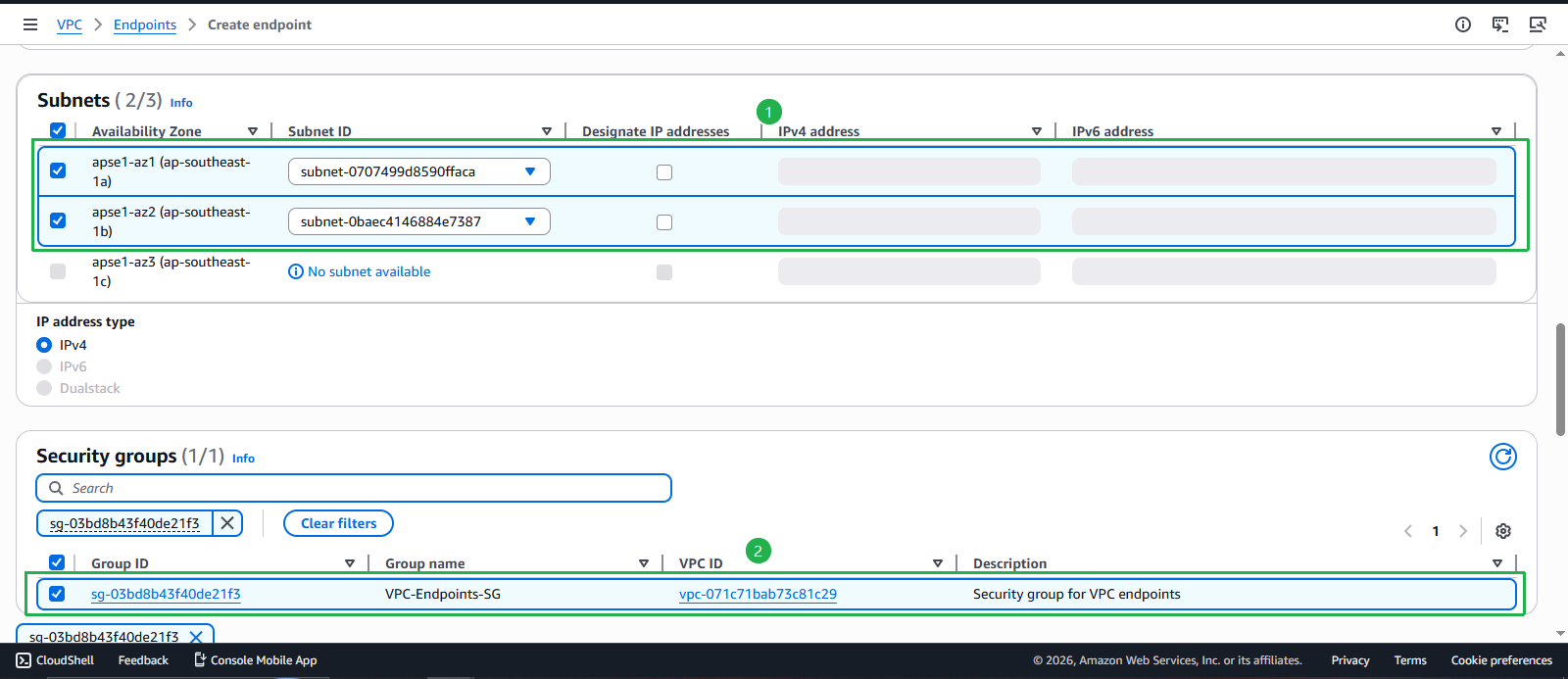
- For each endpoint, use the same configuration:
- VPC: Select your ASG VPC
- Subnets: Select Private Subnet 1 and Private Subnet 2
- Security groups: Select VPC-Endpoints-SG
- Policy: Select Full access
Using Session Manager
- Access instances via Session Manager:
- Navigate to Systems Manager console
- Select Session Manager from the left navigation
- Click Start session
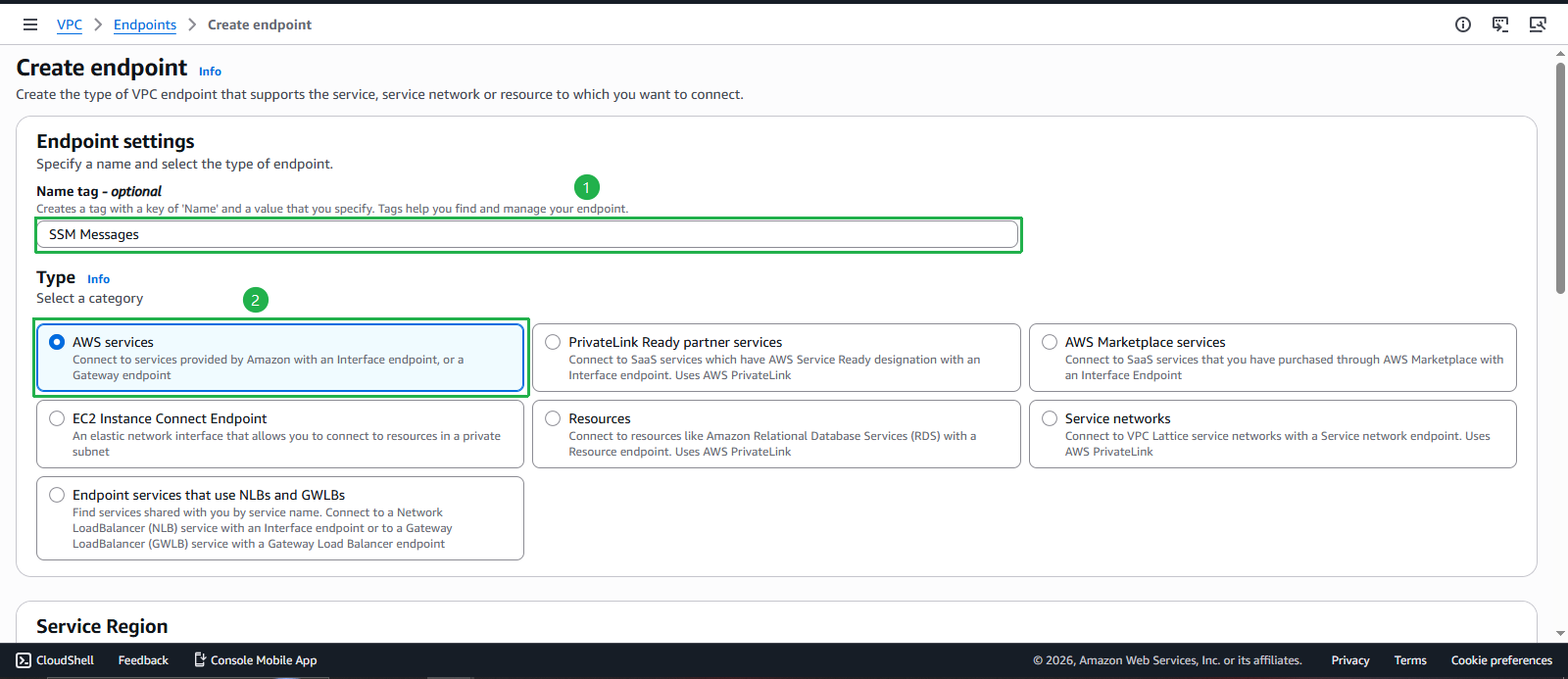
- Select target instance:
- Choose your EC2 Public or EC2 Private instance
- Click Start session
- Interactive shell session:
- You now have a secure shell session without SSH keys
- All commands are logged and auditable
Security Group Updates
💡 Security Group Optimization
With Session Manager configured, you can now remove SSH rules from your security groups:
Before (SSH required):
  Type: SSH (22)
  Source: My IP / Security Group reference

After (Session Manager):
  No inbound rules required for shell access
  Outbound HTTPS (443) to VPC endpoints
🔒 Production Security Benefits:
- Zero Trust Access: No network-level access required
- Audit Trail: All sessions logged to CloudTrail
- Granular Permissions: IAM policies control access
- Session Recording: Optional session recording for compliance
💰 Cost Benefits:
- No Bastion Hosts: Eliminates EC2 costs for jump boxes
- Reduced Data Transfer: Direct access reduces NAT Gateway usage
- No SSH Key Management: Reduces operational overhead
⚡ Operational Benefits:
- Browser-Based: No SSH client software required
- Cross-Platform: Works on any device with web browser
- Centralized Management: Single console for all access
- Integration Ready: Works with existing IAM policies and roles