Configure VPN Connection
Configure VPN Connection
In this step, we will proceed to set up a Virtual Private Gateway, Customer Gateway, and VPN Site-to-Site connection.
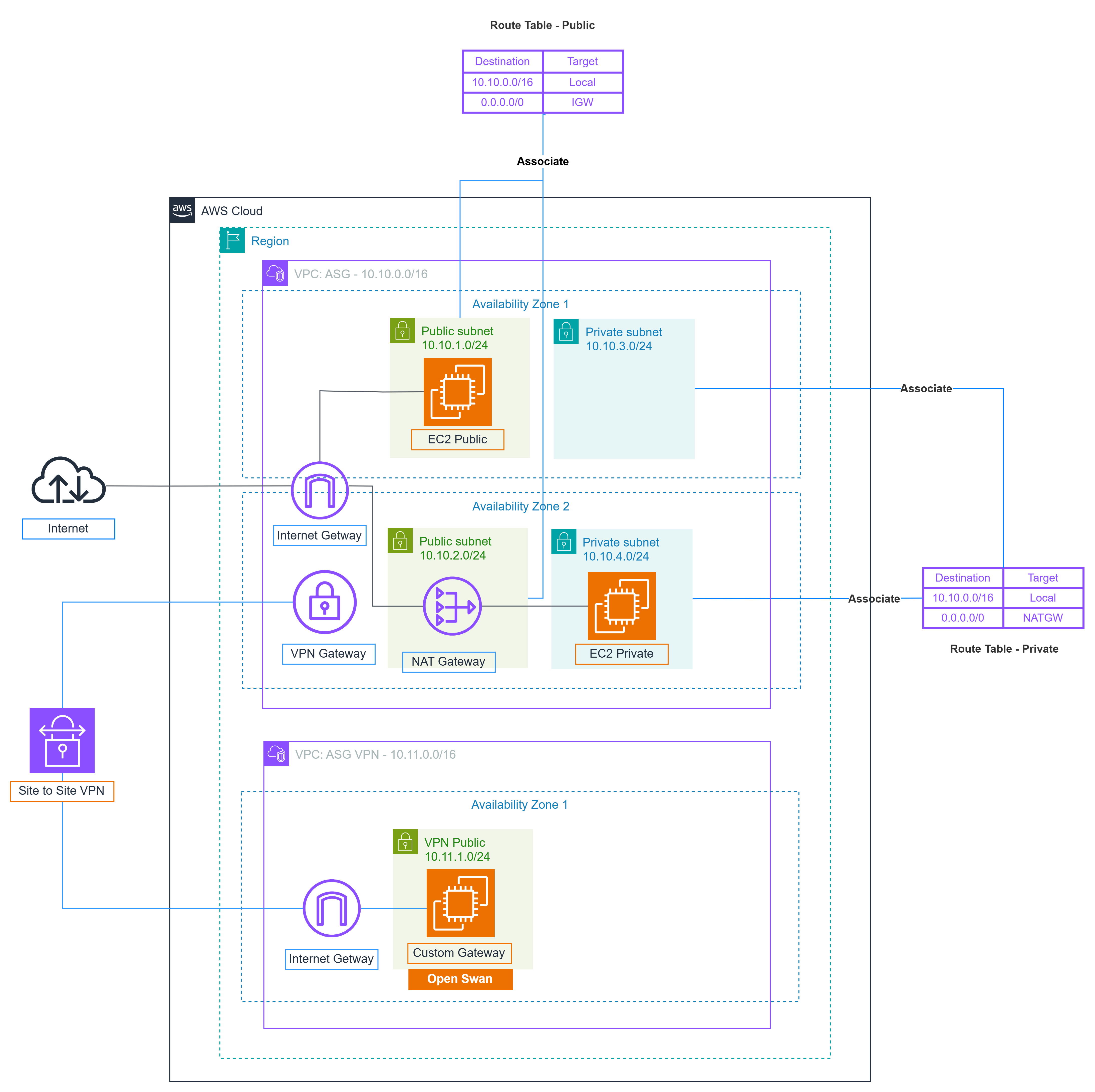
Content:
- Create Virtual Private Gateway
- Create Customer Gateway
- Create VPN Connection
- Customer Gateway Configuration
- Configure VPN Tunnel
- Alternative VPN Configurations
- VPN Troubleshooting Guide
- AWS Official Troubleshooting Guide
🔧 Production-Ready Features
This section now includes modern alternatives like StrongSwan, enhanced security configurations with IKEv2, BGP dynamic routing for automatic failover, and comprehensive monitoring with CloudWatch integration.
🚨 Comprehensive Troubleshooting Support
- Section 5.2.7: Workshop-specific troubleshooting for common issues including Amazon Linux 2023 compatibility, OpenSwan to Libreswan migration, and service management updates.
- Section 5.2.8: AWS official troubleshooting procedures following the systematic IKE → IPsec → Tunnel → Routing approach with CloudWatch monitoring integration.
💡 Advanced Options
For production environments, consider using the alternative configurations in section 5.2.6, which provide enhanced security, better performance, and automated failover capabilities through BGP dynamic routing.
🔒 Security Focus
The implementation demonstrates secure connectivity between on-premises and AWS environments using industry-standard IPsec protocols with proper encryption and authentication mechanisms.
📚 Professional Documentation
Section 5.2.8 provides AWS official troubleshooting framework with device-specific guides for Cisco, Juniper, and other major network equipment vendors.